
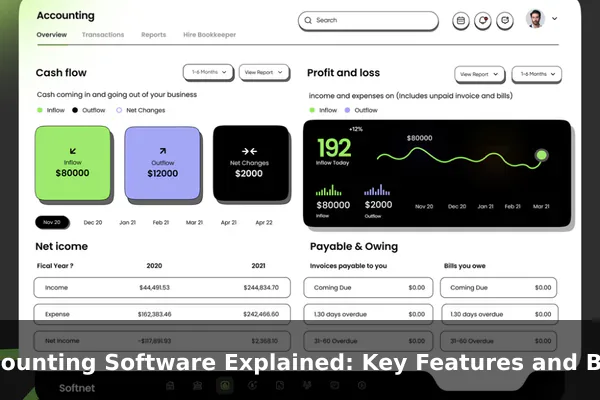
Accounting software is a digital system that helps businesses record, organize, and report financial activity in a structured and repeatable way. Instead of tracking invoices, expenses, and bank entries on paper or scattered spreadsheets, a company can keep its books in one place, generate reports on demand, and reduce the small errors that often pile up in manual workflows. For many small and mid-sized businesses, it has become a core part of running daily operations.
Accurate financial records are not only useful for internal decisions. They support cash flow planning, tax preparation, loan applications, audits, and basic financial statements such as the profit and loss statement and balance sheet. Good software makes those records easier to maintain, but it does not replace sound bookkeeping habits. Setup quality, regular review, and compliance awareness still matter, and in many cases professional advice from an accountant remains important.
This guide explains what accounting software does, the features that matter most, the benefits to expect, and the practical trade-offs around security, deployment, and selection. The aim is to help you understand the category clearly, so you can evaluate options for your own situation with realistic expectations.
What Accounting Software Does
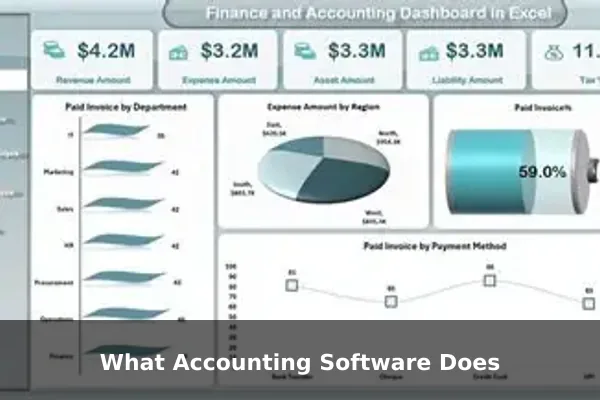
At its core, accounting software is designed to capture financial transactions and turn them into organized information. A typical platform lets you record sales and expenses, categorize them against a chart of accounts, send invoices, track payments, and reconcile activity against bank and credit card statements. From that base, the system produces reports such as profit and loss, balance sheet, cash flow, and tax-related summaries.
Modern tools often go further by automating repetitive steps. Bank feeds can import transactions automatically, rules can pre-categorize recurring entries, and receipts can be captured by mobile photo and matched to expenses. The goal is to reduce manual data entry while preserving an accurate, reviewable trail of what happened in the business.
Typical day-to-day uses
- Creating and sending invoices, then tracking which ones are paid or overdue.
- Recording bills from suppliers and scheduling payments.
- Categorizing income and expenses against the chart of accounts.
- Reconciling bank, credit card, and payment processor statements.
- Producing standard financial reports for owners, managers, or accountants.
Key Features Businesses Should Understand
Not every product offers every capability, and small businesses rarely need them all on day one. Still, knowing the standard feature set helps you compare options and plan for growth.
Core accounting features
- General ledger: the central record of all transactions, organized by account.
- Accounts payable and receivable: tools to manage what you owe suppliers and what customers owe you.
- Bank reconciliation: matching recorded transactions against bank statements to confirm accuracy.
- Financial reporting: built-in profit and loss, balance sheet, and cash flow reports, often with filters by period or segment.
- Audit trails: a log of who changed what and when, which supports review and accountability.
Extended features
- Payroll integrations for processing wages, withholding, and related reports.
- Inventory support for tracking stock levels, cost of goods sold, and reorder points.
- Tax tools for calculating sales tax or VAT and preparing tax summaries.
- Document storage so receipts, contracts, and supporting files are attached to the relevant transactions.
- Multi-currency and multi-entity handling for businesses that operate across borders or run several legal entities.
Features should be evaluated in the context of how your business actually operates. A service firm with few suppliers has different needs than a retailer managing inventory across multiple locations.
Benefits of Using Accounting Software
The most visible benefit is time savings, but the deeper value lies in the consistency and visibility you gain over your financial picture. When records are kept in one structured system, it becomes easier to answer practical questions: How much cash do we have? Which customers are late paying? What did we actually spend on a project last quarter?
Practical benefits to expect
- Fewer manual errors thanks to automated calculations and validation rules.
- Faster reporting, since financial statements can be generated in seconds rather than rebuilt by hand.
- Better cash flow visibility through dashboards that show receivables, payables, and bank balances together.
- Easier recordkeeping, which supports tax preparation and responses to information requests.
- Improved collaboration with bookkeepers, accountants, and team members through shared access.
- More consistent processes, because the software enforces a stable structure across periods.
These benefits depend on careful use. Software amplifies the quality of the data you put in. Clean inputs produce trustworthy reports; sloppy categorization produces misleading ones.
Recordkeeping, Standards, and Compliance Considerations
Tax and regulatory bodies generally expect businesses to keep clear, complete, and reasonably permanent records of income and expenses. The U.S. Internal Revenue Service, for example, notes that electronic accounting software records should meet the same basic recordkeeping principles as paper records, including being accessible and able to support items reported on a tax return. The U.S. Small Business Administration also publishes general guidance on managing business finances, cash flow, and statements.
For accounting standards themselves, U.S. businesses commonly follow U.S. Generally Accepted Accounting Principles (GAAP), maintained by the Financial Accounting Standards Board (FASB). Many businesses outside the United States, or those reporting internationally, follow International Financial Reporting Standards (IFRS) issued by the IFRS Foundation. Accounting software can help apply these standards consistently, but the software does not, on its own, guarantee compliance. Responsibility still rests with the business and its advisors to configure accounts correctly, classify transactions properly, and prepare reports that reflect the chosen framework.
For specific rules on retention periods, tax filings, or industry regulations, it is wise to confirm current requirements with the relevant authority or a qualified professional, since details can change over time.
Security and Access Controls
Financial data is sensitive. It includes bank details, customer information, payroll, and records that, if exposed or altered, can cause real harm. Sound security practices align with widely recognized guidance such as the NIST Cybersecurity Framework, which encourages businesses of all sizes to identify, protect, detect, respond to, and recover from cyber risks.
Sensible controls to look for and apply
- User permissions and roles so people only see and change what their job requires.
- Multi-factor authentication on all accounts that touch financial data.
- Encryption of data in transit and at rest, both for cloud and on-premise setups.
- Regular backups with tested restoration, not just scheduled jobs that nobody verifies.
- Audit logs and access reviews to detect unusual changes and remove access for people who no longer need it.
- Vendor security practices, including how the provider handles updates, incidents, and certifications.

Cloud vs. Desktop Accounting Software
Most modern offerings are cloud-based, but desktop options are still in use, particularly where teams prefer local data control or operate in environments with limited connectivity. Each model has trade-offs worth understanding.
Cloud accounting software
- Accessible from a browser or mobile app, which supports remote work and multiple locations.
- Updates and security patches are typically handled by the provider.
- Subscription pricing, often per user or per feature tier.
- Depends on a stable internet connection and on the vendor’s uptime.
- Backups are usually managed by the provider, though independent exports are still a good habit.
Desktop accounting software
- Runs locally, which can appeal to businesses that want tighter control over where data is stored.
- Less dependent on internet connectivity for day-to-day use.
- Often involves one-time license fees plus optional support or upgrade plans.
- Updates, backups, and security are largely the user’s responsibility.
- Multi-user and remote access can require extra setup.
The right choice depends on how your team works, how comfortable you are managing infrastructure, and how important real-time collaboration with bookkeepers or accountants is.
How to Choose the Right Accounting Software
Selection is easier when you focus on fit rather than feature checklists. A small consultancy needs something different from a growing online retailer or a construction company managing job costs.
- Define your scope: transaction volume, number of users, currencies, and whether you need payroll or inventory.
- List required reports: what you and your accountant actually use each month, quarter, and year.
- Check integrations: with your bank, payment processor, payroll provider, e-commerce platform, or industry tools.
- Evaluate ease of use: if the team will not use it consistently, even the most powerful product will fail.
- Consider scalability: can it handle more users, entities, and complexity as you grow?
- Review security and support: authentication options, data handling, and how responsive the vendor is when something breaks.
- Compare total cost: subscriptions, add-ons, implementation help, training, and migration effort.
Where possible, run a short trial with real data, not just sample files. That quickly reveals friction points that brochures hide.
Common Mistakes to Avoid
Many problems with accounting software are not software problems at all. They come from setup choices and habits that drift over time.
- Poor initial setup: a chart of accounts that does not match how the business operates leads to confusing reports later.
- Mixing personal and business expenses, which clouds profitability and complicates tax preparation.
- Skipping reconciliations: bank feeds can fail silently; periodic reconciliation catches issues early.
- Weak user permissions: giving everyone full access increases both error and fraud risk.
- Over-relying on automation: auto-categorization rules need occasional review, especially as the business changes.
- Not reading reports: the value of accounting software shows up when someone actually reviews the numbers and acts on them.
Final Takeaway
Accounting software is a practical tool for organizing financial activity, improving visibility, and producing reliable reports faster than manual methods allow. Its strengths come from structured records, automation of repetitive steps, and clearer collaboration with bookkeepers, accountants, and advisors.
At the same time, software does not replace careful setup, routine review, or judgment about how to apply accounting standards and regulatory requirements. Treat it as a foundation: pair it with clean inputs, sensible security practices, regular reconciliations, and professional advice when the stakes are high. With that combination, accounting software can quietly become one of the most valuable systems in your business.
Official references
- Internal Revenue Service – Business Recordkeeping – Explains recordkeeping expectations and notes that electronic accounting software should meet basic recordkeeping principles.
- U.S. Small Business Administration – Manage Your Finances – Useful for grounding bookkeeping, cash flow, financial statements, and small business finance practices.
- Financial Accounting Standards Board – Standards – Primary source for U.S. GAAP standards, relevant when discussing accounting accuracy, reporting, and compliance.
- IFRS Foundation – Issued IFRS Standards – Primary international source for IFRS Accounting Standards, useful for non-U.S. or global accounting context.
- NIST Cybersecurity Framework 2.0 for Small Business – Supports discussion of security controls, access management, and protection of financial data in accounting software.
