
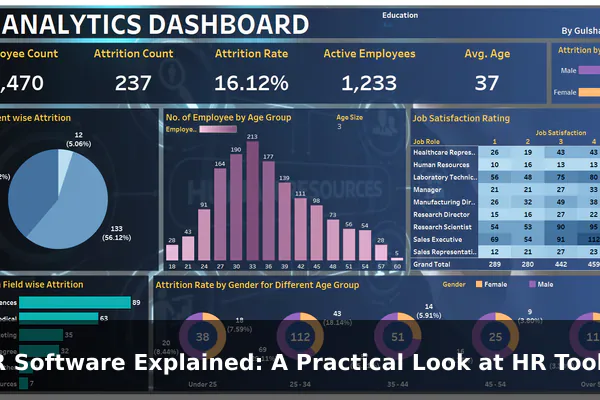
HR software sounds simple until you see how many jobs it is expected to handle. In one company, it is the place where employee records live. In another, it is the system used to approve leave, post job openings, send offer letters, onboard new hires, store policies, support payroll, and track performance conversations. That range is exactly why the term often feels broad or unclear to beginners.
A practical way to understand HR software is to stop thinking of it as one program and start thinking of it as a set of tools that organize people operations. These tools help HR teams, managers, finance staff, and employees complete repeatable work with fewer spreadsheets, fewer email chains, and fewer manual errors. Some platforms do almost everything in one place, while others focus on a single part of the HR process, such as recruiting, time tracking, or benefits administration.
In this guide, HR Software Explained: A Practical Look at HR Tools means looking at what these systems actually do in real business workflows. The goal is not to list vendors or repeat generic software claims. Instead, this article explains what HR software really means, how the main categories differ, which features matter most, where the real benefits come from, and how to choose an HR platform that fits your company without overbuying features you will never use.
What HR Software Actually Means
HR software, also called human resources software or employee management software, is technology used to manage employee-related information and HR processes. At its core, it gives a business one structured way to store, update, approve, and report on people data. That can include basic records such as job title, department, and start date, but it often expands into workflows like hiring, onboarding, time-off approval, payroll preparation, and performance reviews.
The most useful way to think about HR software is as an operational system for the employee lifecycle. A person applies for a role, gets hired, signs documents, joins a team, requests leave, changes benefits, completes reviews, and eventually may move to a new role or leave the company. Without software, those steps are often handled across email inboxes, paper files, shared folders, and spreadsheets. With software, the same steps can be managed inside repeatable workflows with permissions, reminders, and records.
HR software is not just payroll
Many people first meet HR software through payroll because payroll is one of the most visible HR tasks. But payroll is only one part of the picture. A company may use separate tools for payroll, applicant tracking, employee records, scheduling, and training. In other cases, one larger HR platform connects all of those functions. That is why the phrase HR tools often refers to a mix of systems rather than one universal product.
It usually acts as a system of record
One of the most important roles of HR software is becoming the trusted source for people data. When someone asks who reports to which manager, who is eligible for a benefit, who has completed onboarding forms, or how many vacation days remain, the answer should come from a defined system rather than from guesswork. Good HR software reduces version confusion and makes it easier to keep data consistent across departments.
The labels can be confusing
You will often see terms such as HRIS, HRMS, and HCM. Vendors do not always use them in the same way. In general, an HRIS focuses on core employee information, an HRMS often adds broader management functions such as payroll or time tracking, and HCM may be used for more strategic talent features. In practice, the boundaries are blurry. What matters more than the label is the actual workflow coverage the software provides.
The Main Types of HR Tools
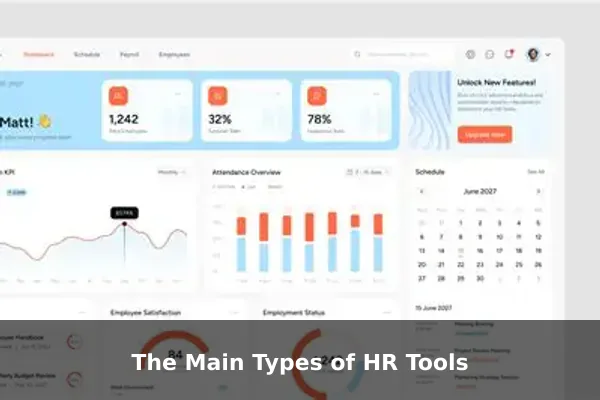
Most businesses do not need every type of HR tool on day one, but understanding the main categories helps you see how the market is structured. Some organizations buy an all-in-one suite. Others combine specialist tools around a central HR system. The right approach depends on company size, compliance needs, budget, and how complex the people process has become.
Core HR platforms
The central category is the core HR platform, often called an HRIS or HRMS. This is where employee profiles, reporting lines, compensation fields, job history, documents, and status changes are usually stored. If a company has one HR system that every employee touches at some point, it is often this one.
- HRIS: Usually focuses on employee records, organizational structure, leave balances, and core administration.
- HRMS: Often adds payroll support, time tracking, scheduling, or workforce management tools.
- HCM platform: May include talent development, workforce planning, and broader employee lifecycle functions.
Recruiting and hiring tools
Recruiting is frequently handled through an applicant tracking system, or ATS. This type of HR tool helps teams publish jobs, collect applications, screen candidates, coordinate interviews, and move applicants through hiring stages. An ATS is less about current employees and more about turning candidates into hires in a structured way.
Some recruiting tools also include career pages, interview scorecards, offer approval workflows, and analytics on hiring funnel performance. For companies that hire frequently, this can remove a large amount of manual coordination between recruiters and managers.
Onboarding and document workflow tools
Once a candidate accepts an offer, a different set of tasks begins. Onboarding software helps collect forms, issue welcome tasks, assign training, confirm policy acknowledgments, and track completion. In smaller companies, onboarding may live inside the main HR platform. In larger or faster-growing companies, it may be a dedicated tool.
Document workflow matters here because HR teams deal with contracts, tax forms, policy updates, ID documents, and signed acknowledgments. Software reduces the risk of missing files or sending the wrong version to the wrong person.
Time, attendance, and scheduling tools
Businesses with hourly workers, shift-based teams, or complex leave policies often need dedicated time and attendance tools. These systems track hours worked, overtime, lateness, absence, shift swaps, and approved time off. Some also support scheduling, labor forecasting, or location-based clock-in rules.
This category becomes especially important when payroll depends on accurate hours and when managers need reliable visibility into staffing coverage.
Payroll and benefits tools
Payroll software handles pay calculations, deductions, taxes, and payment processing. Benefits tools help manage enrollment, eligibility, and changes to coverage. In some markets, payroll is tightly integrated with the core HR platform. In others, it is a separate product linked through integrations or data exports.
Even when payroll is technically separate, HR software still plays a big role because employee data changes such as promotions, salary updates, or leave status often need to flow into payroll correctly.
Performance, learning, and engagement tools
Not every HR team starts here, but many eventually add tools for goal setting, performance reviews, employee surveys, feedback cycles, and training delivery. These systems support the development side of HR rather than the administrative side. They matter most when a company wants more structure around growth, manager accountability, or employee experience.
Suites versus point solutions
There is no universal winner between all-in-one HR software and separate specialist tools. Suites can simplify logins, reporting, and data consistency. Point solutions can offer deeper functionality in one area, such as recruiting or workforce scheduling. The trade-off is integration complexity. A practical setup is often one strong core HR system plus carefully chosen specialist tools only where the business truly needs more depth.
Core Features Businesses Use Most
Marketing pages often highlight dozens of capabilities, but the most valuable HR software features are usually the ones that remove repetitive administrative work and reduce mistakes. These are the features businesses rely on every week, not just during annual planning.
Employee records and organizational data
This is the foundation of most HR systems. A company needs one place to store personal details, employment status, department, manager, compensation fields, emergency contacts, start date, location, and role history. When that information is spread across different files, every later process becomes slower and riskier.
Strong employee record features usually include:
- Profile fields with role-based access controls
- Job and compensation history
- Document storage tied to the employee profile
- Status changes such as hire, transfer, promotion, or termination
- Org chart visibility for managers and HR staff
Leave management, attendance, and approvals
One of the quickest wins from HR software is removing manual leave tracking. Instead of asking HR to update a spreadsheet, employees can submit requests through a portal, managers can approve them, and balances update automatically. The same principle applies to attendance corrections, clock data review, and overtime approvals.
This matters because leave management is not just an administrative task. It affects staffing, payroll accuracy, workload planning, and policy consistency.
Payroll support and benefits administration
Even when payroll is handled by a separate provider, HR software often supplies the source data that payroll depends on. Start dates, pay rates, bank details, tax forms, leave status, and benefit deductions all need to be accurate. Good software reduces duplicate entry and lowers the chance that a payroll change is missed.
Benefits features can also help HR teams track eligibility windows, life-event changes, enrollment choices, and required documents. The more of this that is handled inside a structured workflow, the less time HR spends chasing updates manually.
Employee self-service
Self-service portals are one of the most practical features in modern HR tools. Employees can update contact details, download documents, review policies, request leave, check balances, and sometimes access pay information without sending a message to HR. That saves time for everyone and gives employees a more direct experience.
Managers also benefit from self-service when they can approve requests, review team data, initiate role changes, or access headcount reports without waiting for a manual report from HR.
Reporting and audit trails
HR teams often need answers that are simple to ask but difficult to pull from manual records. How many people joined last quarter? Which probation reviews are overdue? How many employees are in each location? Which documents are missing? Software makes these questions easier to answer because the data is already structured.
Audit trails are equally important. They show who changed a record, when it changed, and sometimes why. That matters for accountability, compliance, and dispute resolution.
How HR Software Helps Day-to-Day Operations
The biggest value of HR software is usually not that it adds a brand-new HR process. It is that it makes routine work more reliable, visible, and repeatable. In day-to-day operations, that changes how HR, managers, finance, and employees interact with one another.
It reduces manual handoffs
Without software, an employee change often triggers a chain of messages. HR updates a spreadsheet, finance adjusts payroll, a manager asks IT for access, and someone forgets to collect a signed form. HR software can connect those steps through workflows, reminders, and approval paths. That does not eliminate work, but it makes the sequence easier to manage.
It speeds up onboarding
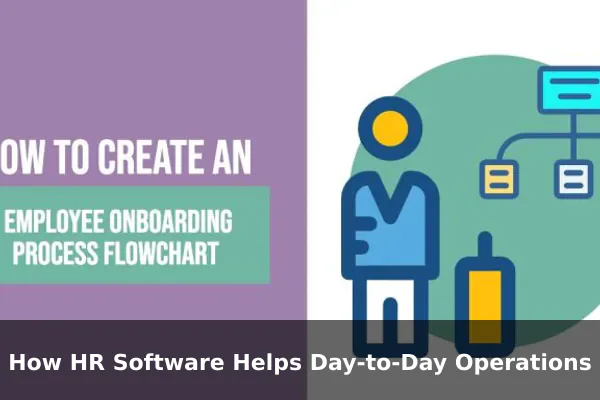
Onboarding is a clear example of process improvement. A new hire can receive forms before day one, complete basic profile information, sign policy documents, and get assigned tasks automatically. The manager can see what is complete. HR can spot delays. The business gets a better start without relying on a checklist buried in email.
- A candidate is marked hired in the recruiting system.
- The employee record is created in the HR platform.
- Welcome forms and policy acknowledgments are sent automatically.
- Payroll and benefits fields are prepared from the same source data.
- The manager sees onboarding progress before the employee starts.
It improves consistency
HR work often fails not because the rules are missing, but because the same rule is applied differently by different people. Software helps standardize forms, approval flows, document versions, and deadlines. That consistency is valuable for fairness, compliance, and internal trust.
It gives managers better visibility
Managers do not need access to every HR detail, but they do need reliable information about their own teams. An HR platform can show team structure, leave calendars, pending approvals, upcoming review cycles, and hiring status in one place. That makes managers less dependent on ad hoc HR updates and lets HR focus on higher-value work.
It creates a usable history
When people operations live only in messages and spreadsheets, it is hard to reconstruct what happened later. HR software creates a history of actions, documents, approvals, and status changes. That history helps with audits, employee questions, policy reviews, and leadership reporting.
Common Benefits and Trade-Offs
Like any business system, HR software brings clear advantages, but it also introduces decisions and costs that companies should evaluate realistically. The best outcomes come from understanding both sides early.
Main benefits
- Less repetitive admin work: Automated workflows reduce manual data entry and follow-up.
- Better data accuracy: One source of truth lowers the risk of conflicting records.
- Faster response time: Employees and managers can handle common requests through self-service.
- Stronger process control: Approvals, reminders, and audit trails make routine work more dependable.
- Improved reporting: Structured data is easier to analyze for hiring, turnover, absence, and headcount trends.
- More professional employee experience: Clear workflows often feel smoother than fragmented manual processes.
Real trade-offs
- Setup takes work: Fields, policies, permissions, and workflows need careful configuration.
- Bad process can be automated too: Software does not fix a confusing policy by itself.
- Training is still necessary: Employees, managers, and HR staff need to know how to use the system correctly.
- Integrations may be imperfect: Data sync issues between HR, payroll, finance, and identity systems can create extra work.
- Subscription costs grow over time: Per-user pricing, add-on modules, and implementation fees can add up.
- Feature overload is common: Many businesses pay for advanced modules they rarely use.
The most common buying mistake is assuming that more features automatically mean more value. In practice, the best HR software is often the platform that handles the core process well, is easy for managers and employees to use, and fits the company at its current stage.
Who Needs HR Software and When
Nearly every organization uses some form of HR tool, even if it begins as a spreadsheet template or a payroll app. The real question is not whether HR software is needed, but when basic methods stop being enough.
Small businesses
Very small teams may start with payroll software, shared folders, and manual leave tracking. That can work for a while if the headcount is low and the structure is simple. The warning signs appear when employee data is duplicated, documents are hard to find, approvals get delayed, or one person becomes the bottleneck for every HR request.
Growing companies
Growth is where HR software becomes especially valuable. More hires mean more onboarding. More managers mean more approvals. More locations or job types mean more policy variation. At this stage, the problem is less about one task being impossible and more about the whole process becoming fragile. A core HR platform helps create consistency before the administrative load becomes chaotic.
Larger organizations
Larger businesses usually need stronger permissions, reporting, compliance controls, integrations, and multi-step workflows. They may also need separate modules for recruiting, workforce scheduling, performance management, or learning. Complexity increases not only with headcount, but with organizational structure and regulation.
Signs the current setup is no longer enough
- Employee information exists in multiple spreadsheets or systems.
- HR spends too much time answering routine status questions.
- Managers cannot easily see leave, onboarding, or team records.
- Payroll changes are frequently delayed by missing data.
- Hiring and onboarding steps are inconsistent between departments.
- Reports for headcount, turnover, or compliance are difficult to produce.
What to Check Before Choosing a Platform
Choosing HR software should be less about the longest feature list and more about operational fit. A practical evaluation focuses on how the tool will be used each week, who needs access, which steps must be standardized, and what level of complexity the organization can realistically support.
Start with real workflows, not feature marketing
Before comparing products, map the workflows that matter most. For example, how does a new hire move from offer acceptance to payroll readiness? How is leave approved today? Who updates employee records? Which reports are requested every month? If a platform handles those common workflows cleanly, it is probably a stronger fit than a platform with impressive but rarely used extras.
Use a practical shortlist
- Core fit: Does it manage employee records, approvals, and essential documents well?
- Ease of use: Can employees and managers complete simple tasks without training overload?
- Workflow flexibility: Can the business adapt forms, approval paths, and policies as it grows?
- Reporting quality: Are basic reports easy to build without technical help?
- Integrations: Does it connect cleanly with payroll, finance, identity, or communication tools?
- Permissions and security: Can sensitive HR data be restricted properly by role?
- Implementation effort: How much setup, migration, and internal ownership will be required?
- Pricing model: What is included, what is extra, and how will cost scale with headcount?
Questions worth asking during a demo
- How does the platform handle employee status changes and historical records?
- Can managers approve leave, onboarding steps, and team updates from one dashboard?
- Which tasks are self-service for employees?
- What happens when payroll data needs correction?
- How are documents versioned and tracked?
- What reports are standard and what requires customization?
- How long does implementation usually take for a company of this size?
Avoid overbuying
One of the most practical rules in HR software selection is to buy for the next stage of growth, not for every possible future scenario. A small business does not need enterprise-grade complexity just because it might grow later. At the same time, a rapidly scaling company should not choose a lightweight tool that will break under basic reporting or permissions needs within a year. The right balance is enough structure to support growth without introducing unnecessary process weight.
Simple Examples of HR Software Use Cases
Short examples make the role of HR software easier to see because they show the tool in action rather than as a feature checklist.
Hiring
A recruiter posts a role, applications enter an applicant tracking system, and interview feedback is collected in one place. When a candidate is selected, the hiring manager approves the offer through the same workflow instead of through scattered email threads.
Onboarding
A new employee receives a welcome email, completes personal details in a secure portal, signs required documents, and gets assigned first-week tasks. HR sees what is complete, and the manager can monitor progress without asking for manual updates.
Attendance and leave
An employee requests vacation in the HR platform. The manager approves it, the balance updates automatically, and payroll sees the correct status later. No separate spreadsheet has to be edited by hand.
Performance reviews
A company runs quarterly check-ins using review forms inside its HR tool. Managers are reminded before deadlines, employees can add self-assessments, and HR can track completion rates across departments.
Employee record changes
A staff member moves to a new department with a salary adjustment. HR updates the record once in the system, the reporting line changes, the document history is preserved, and payroll receives the updated information through an integration or approved export.
These examples show why HR software matters. The software itself is not the goal. The goal is a more reliable process for managing employee information and repeatable HR tasks at scale.
Final Takeaway on HR Tools
HR software is best understood as the operating layer for people administration, not as a single magic product. It brings together employee records, approvals, documents, hiring steps, payroll inputs, and manager visibility in a more structured way. The exact toolset varies by company, but the purpose stays the same: make people operations easier to run, easier to track, and easier to trust.
For most businesses, the smartest approach is practical rather than ambitious. Identify the HR workflows that create the most friction, choose software that handles those tasks well, and add complexity only when the business truly needs it. When selected with that mindset, HR tools do far more than digitize forms. They create a more dependable system for the full employee lifecycle.
