
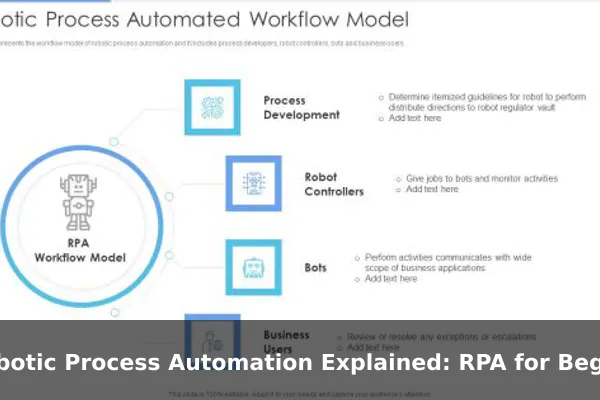
When someone mentions robotic process automation, the image that comes to mind might be a humanoid machine typing at a keyboard. The reality is far less dramatic — and far more useful. RPA is a type of software technology that trains digital “bots” to perform repetitive, rule-based tasks on a computer, just the way a human would. No physical robots involved. No arms, no gears — just software mimicking human clicks and keystrokes at extraordinary speed.
RPA has become one of the fastest-growing areas in business technology because so much of modern office work involves doing the same digital tasks over and over: copying data from one system to another, filling in forms, generating reports, sending confirmation emails. RPA handles these workflows automatically, freeing up the people who used to do them for work that actually needs human thinking. This guide explains RPA from the ground up — what it is, how it works, where it shines, where it falls short, and how a team can start using it wisely.
What Robotic Process Automation Actually Means
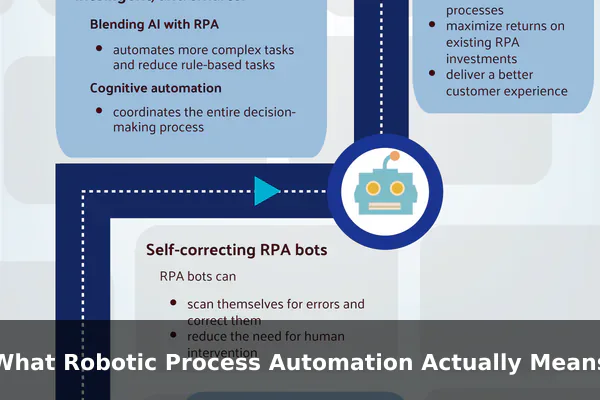
Robotic process automation is software that mimics how a human interacts with a computer application. An RPA bot can open a program, log in, navigate menus, read and enter data, perform calculations, and then move on to the next system — exactly as a trained employee would, but faster and without ever getting tired or distracted.
The word “robotic” is the most misleading part of the name. These are not physical machines. RPA tools work entirely within the software layer of a computer. A bot is essentially a set of recorded or programmed instructions that tell a computer how to interact with on-screen elements: buttons, text fields, dropdown menus, spreadsheets, email clients, and web pages.
RPA Versus Scripts and Macros
You might wonder: isn’t this the same as a script or a macro? There is some overlap, but RPA platforms go further. Traditional scripts usually require direct access to an application’s code or API. RPA bots operate at the user interface level — the same layer a human uses — which means they can work with legacy software, old desktop applications, and systems that have no open programming interface. This is a major reason businesses adopt RPA: it can connect systems that were never designed to talk to each other.
Where RPA Sits in the Technology Landscape
RPA is not artificial intelligence, and it is not basic automation in the traditional programming sense. It sits between them — more flexible than a simple script, but more rule-bound than a true AI system. It does not learn on its own. It follows whatever instructions were built into it, step by step, every time.
How RPA Works in Everyday Business Processes
To understand how RPA operates in practice, walk through what a typical bot actually does during a working day. An RPA bot is assigned a specific workflow. When triggered — either by a schedule, an incoming email, a file arriving in a folder, or a human clicking “start” — the bot wakes up and begins executing its steps. It might:
- Log into an internal business application using saved credentials
- Read data from an incoming spreadsheet or email attachment
- Copy that data and enter it into a separate database or ERP system
- Validate the data against predefined rules, such as checking that invoice amounts match purchase orders
- Flag exceptions that do not match and route them to a human for review
- Send a confirmation email when the task is complete
Attended Versus Unattended Bots
RPA deployments come in two main modes. Unattended bots run completely on their own, usually on a server, without a human in the loop. They work through overnight batches, process thousands of transactions while the office sleeps, and report back in the morning. Attended bots work alongside a human employee in real time — auto-filling fields as the employee handles a customer call, or pulling relevant data while the person is still talking. Many real-world implementations use a mix of both.
The Role of an RPA Control Center
Most commercial RPA platforms include a centralized dashboard called an orchestrator or control center. This is where administrators schedule bots, monitor which ones are running, check logs for errors, and manage multiple bots running on different machines at the same time. The control center is what makes RPA scalable: instead of running one bot, a team can deploy dozens across different departments and manage them from a single screen.
Common Examples of RPA in Action
RPA is used across nearly every industry. The following examples represent the kinds of processes where it delivers clear, measurable value.
Finance and Accounts Payable
Invoice processing is one of the most common RPA use cases. A bot receives invoices by email, extracts key fields like vendor name, amount, and due date, checks them against purchase orders in an ERP system, and either approves payment or flags mismatches for human review. What once took a team member 20 minutes per invoice can happen in seconds, across thousands of invoices a day.
Human Resources Administration
Onboarding a new employee involves a surprising number of repetitive digital steps: creating accounts in HR, IT, and payroll systems; sending welcome emails; assigning equipment requests. An RPA workflow can trigger all of these automatically the moment a hiring decision is recorded, cutting onboarding time from days to hours.
Customer Service and Data Entry
Call center staff often spend a large share of their time entering information from one system into another while a customer is on hold. An attended RPA bot can pre-fill screens, pull up customer records automatically, and update multiple systems simultaneously — letting the agent focus on the conversation rather than the typing.
Main Benefits of RPA for Teams
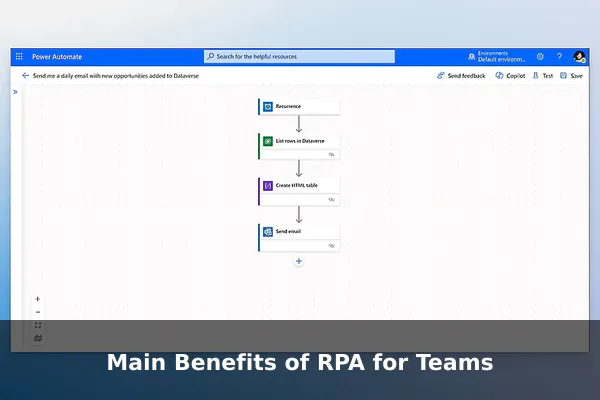
The appeal of RPA comes down to a short list of practical gains that affect both individual employees and the wider business.
- Speed: Bots work faster than humans on repetitive digital tasks. A process that takes a person two hours can run in minutes.
- Accuracy: Bots do not make typos, misread numbers, or forget steps. Error rates on data entry tasks drop dramatically after RPA is introduced.
- Consistency: The bot follows the exact same process every single time, with no variation due to fatigue, distraction, or differences between employees.
- Scalability: When volume spikes — say, at month-end close or during a product launch — you can run more bots in parallel without hiring additional temporary staff.
- Works with legacy systems: RPA does not require changes to existing software, making it practical in environments where upgrading core systems would be expensive or disruptive.
Impact on Employee Satisfaction
There is often a misconception that RPA eliminates jobs. In practice, most organizations find that it eliminates the parts of jobs that employees find most tedious. People who spend their day copying figures from one spreadsheet to another rarely describe it as their favorite work. Removing that burden tends to improve morale and allow teams to focus on the work they find more meaningful.
Where RPA Has Limits
RPA is not a universal solution. Understanding where it breaks down is just as important as understanding where it works.
It Cannot Handle Ambiguity
RPA bots follow rules. If the rules are not completely clear, the bot cannot make a judgment call. If an invoice arrives with an unusual format, a handwritten note, or a field the bot has never seen, it typically fails or pauses for human input. Any process that involves subjective decisions — reading tone in an email, negotiating with a vendor, interpreting an unusual customer request — is not suitable for RPA alone.
Fragility Against Interface Changes
Because RPA bots operate at the user interface level, they depend on the position and labeling of on-screen elements. If a vendor updates their portal, moves a button, or renames a field, the bot can break immediately and require reprogramming. Maintaining bots over time has a real cost that organizations frequently underestimate.
Not Suitable for Unstructured Data
RPA works best when data arrives in a predictable, structured format — spreadsheets, standard form fields, consistent email templates. It struggles with free-form text, scanned documents with variable layouts, or data sources where the format changes frequently. This is where AI-based tools such as intelligent document processing can supplement RPA, but that requires a more advanced setup.
RPA vs Automation vs AI
These three terms are often confused, and getting them straight helps a beginner understand which tool is right for a given problem.
Basic automation usually refers to scripts, scheduled tasks, or programmatic integrations that run predefined code. These are effective but typically require direct access to an application’s back-end code or API, meaning they do not work well with legacy systems or closed applications.
Robotic process automation operates at the user interface layer, making it more versatile with older or closed systems. It still follows strict rules and requires a well-defined, stable process to automate. Think of it as teaching a bot to do exactly what a trained human does on screen.
Artificial intelligence — and specifically machine learning — can handle ambiguity, recognize patterns in unstructured data, make predictions, and improve over time. When combined with RPA (sometimes called intelligent automation or hyperautomation), the result is a system that can handle tasks involving both structured workflows and unstructured inputs. But AI also requires training data, time, and expertise that pure RPA does not. The simplest rule of thumb: use RPA when you need to replicate human UI interaction at scale; use AI when you need machines to handle judgment or pattern recognition.
How to Know If a Process Is a Good RPA Candidate
Not every task is worth automating. Before investing time in building an RPA bot, evaluate the process against these practical criteria.
- Is the process highly repetitive? The more times a task is done identically, the stronger the case for automation. A task done hundreds of times a day almost always qualifies.
- Does it follow clear, consistent rules? If you can write out every step and every decision point in a simple flowchart, RPA can probably handle it.
- Is the input data structured and predictable? Standard formats, consistent fields, and clean data make RPA reliable. Inconsistent or unstructured data introduces failure points.
- Is the volume high enough to justify automation? Building and maintaining a bot has a cost. The time savings need to outweigh that cost over a reasonable period.
- Is the process stable? Stable, mature processes make better first candidates. If the underlying systems or rules are about to change significantly, automating now may create unnecessary rework.
- Is it measurable? Good automation targets have clear success metrics — time saved, error rate reduced, processing volume increased.
Getting Started With RPA the Smart Way
Many RPA projects fail not because the technology is wrong, but because the rollout strategy is poor. Here is a practical approach for teams exploring RPA for the first time.
Start Small and Low-Risk
Pick a single, well-understood process with limited business impact if something goes wrong. Data entry into an internal reporting tool is a better first project than automating customer-facing payment processing. Small wins build confidence, provide proof of concept, and teach the team how the tools behave in your specific environment.
Map the Process Before Building Anything
Before writing a single bot instruction, document every step of the process in detail. Talk to the employees who currently do the task. You will almost always discover edge cases, exceptions, and informal workarounds that would not have been obvious from the outside. A well-mapped process makes a reliable bot; a poorly mapped process produces an unreliable one.
Choose the Right Platform and Measure Everything
There are several well-established RPA platforms, including UiPath, Automation Anywhere, and Blue Prism. Each has different strengths, pricing models, and learning curves. For a first project, consider starting with a platform that offers a free trial or community edition. After deployment, track the metrics you defined before you started — time saved, error rate, processing volume — and use what you learn to improve the bot before scaling to other processes.
Robotic process automation is one of the most practical tools available to businesses dealing with high volumes of repetitive digital work. It does not require replacing existing software, it can be deployed relatively quickly, and the results are often visible within weeks of a successful implementation. Start with one process, measure everything, and build from there. Even a single well-deployed bot can demonstrate real, tangible value that makes the business case for going further.
