
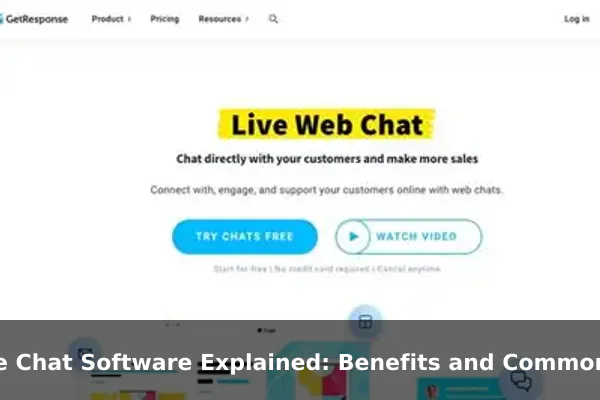
When a visitor lands on a website and has a question, the difference between getting an instant answer and waiting hours for an email reply can determine whether they become a customer or leave for good. Live chat software bridges that gap by enabling real-time text conversations directly on a website or mobile app, connecting users with business agents in seconds rather than days.
Unlike email support or phone calls, live chat software meets customers exactly where they are, without requiring them to switch to a different communication channel. It sits quietly in a corner of the screen until it is needed, and the moment a visitor decides to ask a question, it opens into a responsive, human conversation.
This article explains what live chat software is, how it works under the hood, the benefits that make businesses adopt it, and the most common use cases across different teams. Whether you are evaluating live chat for the first time or comparing it with alternatives like chatbots and email support, this guide gives you a clear, practical foundation.
What Live Chat Software Actually Does
Live chat software is a digital communication tool that enables businesses to engage with website visitors or app users through real-time text messaging. Rather than directing customers to a contact form or support email, live chat creates an instant communication channel directly within the product or website experience.
At its core, live chat software serves three main purposes:
- Answering questions in real time — support agents respond to visitor queries without delay, reducing friction at every stage of the customer journey.
- Capturing leads and qualifying prospects — sales teams engage visitors at high-intent moments, such as when they linger on a pricing page or return to a product listing.
- Guiding users through complex workflows — onboarding teams help new users navigate software, complete setup steps, or resolve confusion as it happens rather than after the fact.
The software typically appears as a small icon or chat bubble in the corner of a web page. When a visitor clicks on it, a chat window opens and a conversation begins — either with a live agent or an automated bot, depending on how the platform is configured.
Who Uses Live Chat Software?
Live chat software is used across virtually every industry that operates online. E-commerce stores use it to answer product questions and assist with checkout. SaaS companies use it for onboarding and technical support. Healthcare platforms use it for appointment scheduling queries. Financial services firms use it for account assistance. The common thread is any business that wants to reduce friction between a question and an answer, and that values speed and accessibility in customer communication.
How Live Chat Software Works Behind the Scenes
Understanding what happens between a visitor typing a message and an agent replying helps clarify why live chat software is more powerful than it first appears.
The Chat Widget and Agent Dashboard
From the visitor’s perspective, live chat software is a small embedded widget — usually a floating button or a speech bubble icon positioned in the corner of a web page. This widget is embedded into the website via a short JavaScript snippet added to the page code, making deployment fast and non-technical for most teams.
On the business side, agents access an agent dashboard — a web application or desktop interface where all incoming conversations appear in real time. The dashboard typically shows:
- Active conversations sorted by time waiting or assigned priority
- Visitor context such as the page they are currently on, their geographic location, and how long they have been browsing
- Previous conversation history for returning visitors
- Internal notes that agents can leave for colleagues handling the same customer
Routing, Canned Replies, and Automation
When multiple conversations arrive simultaneously, live chat platforms use routing rules to assign chats to the most appropriate agents. A billing question might route to the finance team, while a technical issue goes directly to support specialists. Routing can be rule-based, skills-based, or load-balanced across available agents.
Canned replies — also called saved responses or message shortcuts — allow agents to insert pre-written answers to common questions with a single keystroke. This dramatically speeds up response times without sacrificing accuracy or personalization.
Most modern platforms also include automation layers: chatbots that handle the initial greeting, collect a visitor’s name and contact details, answer basic FAQs, and hand the conversation to a human agent only when needed. This hybrid model maximizes both efficiency and quality.
Integrations with CRM and Help Desk Tools
Live chat software rarely operates in isolation. Leading platforms integrate natively with:
- CRM platforms like Salesforce or HubSpot to sync customer data and full conversation history across teams
- Help desk software to convert unresolved chat transcripts into support tickets automatically, with all context preserved
- Email marketing tools to add captured leads directly into nurture sequences without manual data entry
- Analytics platforms to track chat volume, agent response times, resolution rates, and customer satisfaction scores over time
These integrations make live chat a central hub in a business’s communication stack rather than a disconnected feature sitting apart from the rest of the workflow.
Key Benefits of Live Chat Software
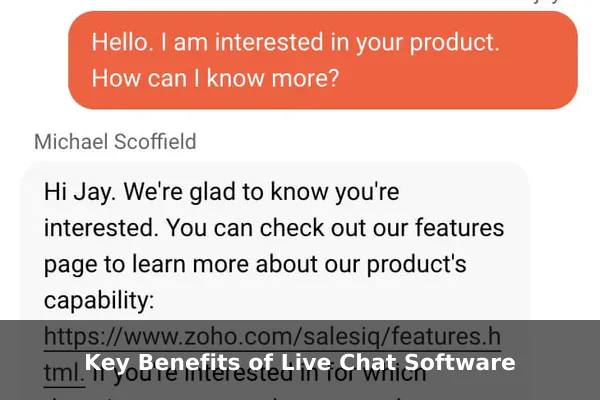
The reasons businesses invest in live chat software go beyond simply offering one more contact channel. The benefits compound across customer experience, team efficiency, and revenue outcomes simultaneously.
Faster Response Times
The average response time for email support is measured in hours; for live chat, it is measured in seconds. When a visitor has a question that determines whether they buy or abandon, speed is the decisive factor. Live chat software closes the response window to near zero, keeping customers engaged at the exact moment their intent is highest.
Higher Customer Satisfaction
Research across the customer service industry consistently ranks live chat among the highest channels for satisfaction scores. Customers appreciate the immediacy, the ability to multitask during a conversation, and the fact that they do not need to pick up a phone or wait in a call queue. Getting a helpful answer within seconds while staying on the page they were already browsing is a frictionless experience that email and phone simply cannot replicate.
Increased Lead Generation and Conversion
Live chat software creates natural lead capture opportunities at precisely the right moments. When an agent engages a visitor who is comparing pricing plans or reading a product overview, that conversation can move a prospect from undecided to converted. Proactive chat triggers — automatic messages that appear based on visitor behavior, such as spending 60 seconds on a checkout page — initiate conversations at the highest-intent moments without waiting for the visitor to reach out first.
Reduced Support Costs
A single phone support agent can handle one call at a time. A live chat agent can manage three to five simultaneous conversations without meaningful quality loss. This parallel capacity means businesses can support higher inbound volume without proportionally increasing headcount, keeping per-interaction support costs well below phone or in-person alternatives.
Richer Visitor Context
Live chat platforms collect behavioral data that email and phone support cannot easily capture: which page a visitor was on when they initiated a chat, how many times they have visited the site before, what they have purchased in the past, and what device they are using. Agents see this context before the first message is typed, enabling more relevant, personalized, and efficient responses from the very first line.
Common Use Cases Across Different Teams
Live chat software is not exclusively a customer support tool. Its real value emerges when multiple teams within a business adopt it for their specific workflows, each getting different returns from the same platform.
Customer Support
The most established use case. Support teams use live chat to handle inbound queries about products, services, orders, and account issues. Chat transcripts double as documentation, and integration with help desk platforms means unresolved conversations can be escalated to formal tickets with full context preserved and no information lost in the handoff.
Sales and Lead Qualification
Sales teams use live chat to engage high-intent visitors in real time rather than waiting for them to fill in a contact form. Proactive triggers start conversations with visitors reading a pricing page or returning to a product they viewed previously. Agents ask qualifying questions, assess fit, and route warm leads directly to account executives — compressing the top of the sales funnel significantly.
Customer Onboarding
SaaS companies and application platforms use live chat during the onboarding phase to reduce early drop-off rates. When a new user is setting up their account and encounters confusion, a contextual chat message from a bot or agent can offer immediate guidance, walk them through the required steps, and prevent the frustration that leads to early churn before the product’s value is understood.
E-Commerce Order Assistance
Online retailers use live chat to handle pre-purchase questions about sizing, shipping times, return policies, and product availability. Removing that uncertainty in real time directly reduces cart abandonment rates. Post-purchase, live chat handles order status inquiries and return or exchange processes quickly, turning a potentially negative experience into a positive one.
Technical Troubleshooting
Software companies and technology platforms use live chat for real-time technical support. Agents share links, step-by-step instructions, or screenshots within the chat window. Some platforms extend this further with co-browsing capabilities, allowing agents to see exactly what the user sees and guide them through complex workflows without the friction of a separate screen-sharing session.
Booking and Appointment Scheduling
Service businesses — including consultancies, clinics, event companies, and salons — use live chat to handle scheduling inquiries conversationally. Visitors ask about availability, get a direct answer, and confirm an appointment without navigating a multi-step booking form, reducing the drop-off that typically happens with self-service scheduling tools.
Live Chat vs Chatbots vs Email Support
Live chat, chatbots, and email are all legitimate communication channels, but they serve meaningfully different purposes and perform differently under different conditions. Understanding the distinctions helps businesses decide when to use each one and how to combine them.
Live Chat: Human-Driven, Real-Time
Live chat with human agents is best suited for complex, nuanced, or high-stakes conversations — situations where empathy, contextual judgment, and relationship-building matter. It is ideal when a customer is frustrated, when the question involves multiple variables, or when a sales conversation requires trust and persuasion. The key limitation is availability: human agents work set hours unless the business is large enough to staff live coverage across time zones.
Chatbots: Automated and Always Available
Chatbots handle predefined conversation flows — answering FAQs, collecting contact information, routing inquiries to the right team, or triggering automated follow-up workflows. They operate 24 hours a day, 7 days a week, and can handle unlimited simultaneous conversations without fatigue or inconsistency. The trade-off is depth: chatbots are effective for structured, predictable queries but struggle with open-ended, emotional, or multi-step situations. Most businesses use chatbots as a first response layer, with human agents handling escalated conversations.
Email Support: Asynchronous and Documented
Email remains valuable for complex issues that require detailed written explanations, file attachments, or a formal audit trail. It suits situations where neither party needs to be online at the same time. The weakness is speed — a response window of 24 to 48 hours feels slow for time-sensitive product or service issues, especially when customers have been conditioned by real-time chat to expect faster answers.
Combining All Three Effectively
The most effective communication stacks use all three in concert rather than treating them as competing options:
- A chatbot handles the initial greeting, captures contact details, and resolves common questions immediately
- Live chat takes over when the question requires human judgment, the visitor requests a person, or the conversation escalates in complexity
- Email handles post-conversation summaries, formal ticket follow-ups, and asynchronous documentation where a written record is needed
Features to Evaluate Before Choosing a Platform
Not all live chat platforms are built the same. Before selecting one, evaluate these criteria carefully against your team’s actual operational needs and budget constraints.
Ease of Setup and Daily Use
The best platforms deploy with a single JavaScript snippet and require no developer involvement for basic configuration. The agent dashboard should be intuitive enough for support staff to use confidently with minimal onboarding. A tool that takes weeks to configure will delay time-to-value and reduce agent adoption.
Mobile Agent App
Agents increasingly work remotely or outside traditional office hours. A reliable mobile app ensures coverage beyond the desktop and allows distributed teams to remain responsive from anywhere, which is particularly important for small businesses without dedicated 24/7 support staff.
Automation, Routing, and Bot Capabilities
Evaluate whether the platform includes built-in chatbot functionality or requires integration with a separate tool. Automated greeting triggers, canned reply libraries, skills-based routing rules, and away-message handling are all table-stakes features for any team handling meaningful chat volume.
Analytics and Reporting
Look for metrics that reflect real performance: first response time, average handle time, customer satisfaction scores, resolution rate, and chat volume broken down by time of day. Platforms that surface actionable data make it possible to improve continuously rather than manage by instinct.
Integrations
Confirm the platform integrates natively — not just via a generic webhook — with the CRM, help desk, and email tools your team already relies on. Disconnected data is one of the most common operational frustrations in support teams and one of the most avoidable ones at the selection stage.
Multilingual Support
For businesses serving international audiences, the ability to handle conversations in multiple languages — whether through intelligent agent assignment, real-time translation, or multilingual bot flows — is a meaningful differentiator that directly affects the quality of service delivered globally.
Pricing Model and Scalability
Live chat platforms typically charge per agent seat, per conversation, or as a flat subscription tier. Evaluate the model against your expected chat volume and team headcount to avoid cost surprises as usage scales. Some platforms charge separately for bot conversations, which can inflate costs quickly if automation handles a large share of volume.
When Live Chat Software Is the Right Fit
Live chat is not the right solution for every business at every stage. Identifying the conditions where it delivers genuine value prevents investment in a tool that the team is not positioned to use effectively.
Scenarios Where Live Chat Delivers Strong Results
- High website traffic with unanswered visitor questions — if visitors regularly leave without converting because their questions go unanswered, live chat creates the real-time bridge between interest and decision.
- Fast-moving sales conversations — if your sales cycle benefits from immediate engagement at the moment of peak interest, proactive live chat can meaningfully improve conversion rates on high-traffic pages.
- SaaS or software products with early drop-off problems — contextual live chat during the first sessions with a product reduces the confusion that leads to churn before value is established.
- E-commerce businesses with measurable cart abandonment — answering pre-purchase uncertainty in real time removes the hesitation that causes visitors to leave checkout incomplete.
When to Reconsider the Investment
- Very low traffic websites — if the site receives fewer than a few hundred sessions per day, the volume of chat conversations may not justify the ongoing cost and operational overhead of staffing the channel properly.
- Teams without realistic real-time availability — live chat’s core value proposition is speed. If response times stretch to several minutes because agents are unavailable, the experience is worse than a clearly communicated email support workflow. An honest async channel outperforms a slow live chat.
- Highly regulated communication contexts — some industries require formal documented processes, legal review of communications, or structured records that live chat’s conversational format does not natively support without significant additional tooling.
Live chat software has become one of the most practical tools available to businesses that want to close the gap between a visitor’s question and a helpful answer. Its ability to operate in real time, serve multiple teams from the same platform, and integrate with the broader software stack makes it a versatile business investment rather than a single-purpose customer service feature.
The key is matching the platform to your actual operating conditions: realistic agent availability, appropriate chat volume, the right integrations, and a clear plan for how bots and humans divide the workload. When those pieces align, live chat software stops being a widget in a corner of a page and becomes a core part of how a business communicates, converts, and retains the people it serves.
