

The way teams work has changed dramatically. Whether your colleagues sit across the hall or across the globe, getting aligned, staying in sync, and moving work forward requires more than emails and spreadsheets. That is where collaboration software comes in — a category of digital tools built specifically to help people work together, regardless of where or when they sit down to work.
Collaboration software has moved from a nice-to-have into a business essential. Remote and hybrid arrangements have accelerated this shift, but even fully in-office teams now rely on these platforms to manage documents, run meetings, track progress, and share knowledge at speed. Understanding what these tools actually do — and what separates a good fit from a poor one — makes a meaningful difference in how effective any team can be.

What Collaboration Software Actually Means
Collaboration software is a broad term for digital platforms designed to help groups of people work together on shared goals. The key word is together — the software exists to reduce friction between team members, not just to store files or send messages independently.
At its core, collaboration software solves a coordination problem. Without it, information lives in separate inboxes, updates get lost in long email threads, and nobody has a clear picture of who is doing what. These tools bring communication, files, tasks, and decisions into shared spaces where everyone can see what is happening and contribute directly.
It is worth distinguishing collaboration software from single-purpose tools. A basic email client or a cloud storage drive is useful, but it does not create the connected, real-time working environment modern teams need. Collaboration software goes further by combining multiple functions — messaging, file sharing, version control, task tracking, and meeting tools — in a way that keeps context visible and workflows moving without constant manual handoff.
The Problem It Solves
The fundamental challenge in any team is information flow. When updates, decisions, and documents are scattered across different places, people spend more time searching for context than doing actual work. Collaboration software addresses this by creating structured, searchable, shared environments where work naturally documents itself as it progresses.
How Modern Teams Use It Day to Day
In practice, collaboration software shows up in nearly every part of a team’s working day. The platforms vary, but the patterns are consistent across industries and team sizes.
- Real-time messaging: Instant chat channels replace fragmented email threads for quick questions, status updates, and informal coordination. Teams organize conversations by topic or project using named channels rather than sprawling reply chains.
- Video meetings: Built-in or integrated video conferencing lets distributed teams meet face to face without switching apps. Screen sharing, recording, and transcription turn meetings into referenceable records.
- Document collaboration: Multiple team members can write, comment, and edit documents simultaneously on a single live version with a full revision history — no more emailing attachments back and forth.
- Task and project tracking: Assignments, deadlines, and progress are visible inside the same workspace. Team leads can check deliverable status without chasing people for updates.
- Async updates: Not every update needs a meeting. Threaded comments, video messages, and status posts let team members in different time zones contribute and respond on their own schedule.
- Approvals and reviews: Structured workflows route documents or decisions to the right people for sign-off, reducing the back-and-forth that slows down publishing and delivery cycles.
Async vs. Real-Time Work
One of the clearest shifts in modern teamwork is the move toward asynchronous collaboration — working across time rather than strictly together at the same hour. Good collaboration software supports both modes: enabling fast real-time exchanges when teams are online simultaneously, and preserving enough context for members in different time zones to catch up and contribute without losing ground.
Core Features That Make Online Work Smoother
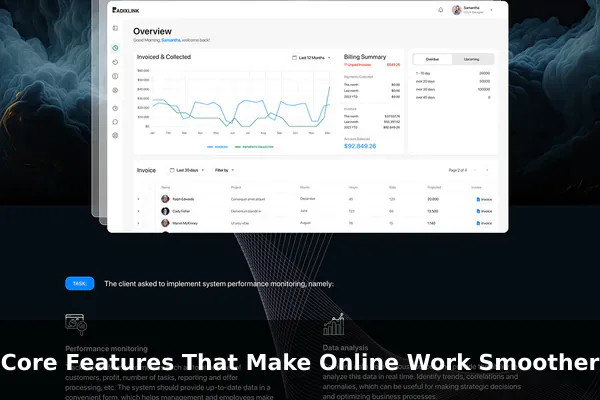
Not all collaboration software is built the same, but the most effective platforms share a set of features that keep distributed work coherent and efficient.
Shared Workspaces and Channels
Organized spaces — whether called channels, rooms, projects, or hubs — give teams a permanent home for related conversations, files, and tasks. Good workspace design means people always know where to look and where to post instead of creating information sprawl.
Threaded Comments and Contextual Feedback
Threaded replies keep discussions focused on specific items — a document paragraph, a design file, or a task — rather than drifting into general chat. This is critical for creative reviews and technical feedback where context matters.
File Sharing and Version History
Storing files inside the collaboration platform — with full version history — eliminates the confusion of conflicting file names and outdated attachments. Anyone can see what changed, when it changed, and who made the change.
Integrations and Automation
Modern collaboration tools connect with the wider software stack — calendars, code repositories, design tools, and more. Integrations mean team members do not need to jump between a dozen tabs. Automation features can trigger notifications, move tasks, or update records when specific actions happen, reducing manual busywork.
Permissions and Search
Controlling who can see or edit what is essential for security and focus. Granular permissions let admins open broad shared spaces for general communication while keeping sensitive projects restricted. Meanwhile, robust full-text search — across messages, files, tasks, and comments — turns the platform into a living knowledge base rather than a buried archive.
Main Types of Collaboration Tools
The collaboration software market covers several distinct categories, each with a different primary emphasis. Teams often use a combination, and all-in-one platforms aim to cover multiple categories in a single product.
Team Chat and Messaging Apps
Tools like Slack, Microsoft Teams, and Google Chat center on persistent, organized messaging. They are the closest digital equivalent to the office floor — always on, quick to reach, and easy to dip in and out of. Most have grown to include file sharing, basic task features, and deep third-party integrations.
Document Collaboration Suites
Google Workspace and Microsoft 365 bundle word processing, spreadsheets, and presentations with real-time co-editing, commenting, and sharing. These suites are the backbone of document-heavy workflows in most organizations.
Virtual Whiteboards
Tools like Miro and FigJam give teams a shared canvas for brainstorming, mapping workflows, and running collaborative workshops. They fill a specific gap for visual thinkers and cross-functional planning sessions that do not translate easily to text-based chat.
All-in-One Work Hubs
Notion, Coda, and Confluence combine documentation, wikis, databases, and lightweight task features into unified workspaces. These are popular with teams that want a single source of truth for knowledge and planning without stitching together separate tools.
Benefits for Remote, Hybrid, and In-Office Teams
Collaboration software delivers real value regardless of where a team physically works — but the specific benefits differ by work arrangement.
For Remote Teams
- Bridges time zone gaps with async-friendly communication and searchable records.
- Creates visibility that would otherwise require physical presence — anyone can see project status and recent decisions without asking.
- Builds a sense of shared space and team culture when everyone works from different locations.
For Hybrid Teams
- Keeps remote and in-office members equally informed by centralizing updates in shared digital spaces rather than hallway conversations.
- Prevents the two-tier information problem where remote employees feel out of the loop compared to those physically present.
- Enables seamless handoff between in-person sessions and online work without losing context.
For In-Office Teams
- Reduces reliance on email for internal coordination, which speeds up responses and keeps related information grouped.
- Provides a documented trail of decisions and changes that survives team turnover.
- Enables cross-department coordination without requiring constant face-to-face meetings.
Common Challenges and What to Watch For
Despite its benefits, collaboration software introduces its own set of problems when poorly implemented or overused.
Tool Overload
Many organizations accumulate multiple overlapping tools over time. When team members need to check five different platforms to get a complete picture of their work, the tools become the problem rather than the solution. Deliberate platform choices and consolidation prevent this fragmentation.
Notification Fatigue
Always-on collaboration platforms can blur the line between work and constant interruption. Poorly configured notifications pull people away from deep work and create pressure to be perpetually responsive. Both good platform settings and clear team norms are needed to manage this effectively.
Poor Adoption
A collaboration platform is only as useful as the number of team members who actually use it consistently. If some members continue working in email while others use the new tool, the workflow splits and the benefits disappear. Rollout strategy, training, and clear expectations matter as much as the tool itself.
How to Choose the Right Collaboration Software
With dozens of platforms available, choosing well requires matching the tool to the team’s actual needs rather than chasing features for their own sake.
- Define the primary use case: Is the biggest gap in communication, document management, task visibility, or knowledge organization? Start with the core problem and find a platform that solves it well.
- Consider team size and structure: Small teams often do well with simpler, flexible tools. Larger organizations may need stronger admin controls, granular permissions, and enterprise support.
- Check integration compatibility: The tool needs to fit the existing software stack. An app that does not connect with the company’s calendar or file storage creates more friction than it removes.
- Evaluate ease of adoption: Powerful features only help if the team actually uses them. Platforms with intuitive interfaces achieve higher adoption, which directly affects return on investment.
- Assess security and compliance needs: Industries with regulatory requirements — healthcare, finance, legal — need platforms offering data residency options, audit logs, and compliance certifications.
Piloting Before Committing
Running a structured pilot with a real team on a real project reveals friction points that demos never show. Teams that pilot before full deployment make better decisions and avoid expensive switching costs later.
Why Collaboration Software Keeps Evolving
AI integration is reshaping how these tools work. Meeting transcription, smart summaries, writing assistance, automated task creation from conversations, and predictive scheduling are now appearing across major platforms. The trend is toward collaboration software that does not just store work but actively helps teams move it forward.
Automation and workflow builders are reducing repetitive coordination work — routing approvals, sending reminders, updating statuses — that has always been a hidden tax on team productivity. As these capabilities become more accessible to non-technical users, teams can design their own workflows without relying on engineering resources.
As work arrangements continue to evolve — with more distributed, asynchronous, and globally spread teams — the demand for software that makes online collaboration genuinely effective will only grow. The best collaboration platforms will stay focused on reducing friction, preserving context, and helping teams do their best work regardless of where they are.
Choosing and using these tools well requires understanding the problem they solve, the features that matter for your specific workflow, and how to build habits that make adoption stick. When that alignment happens, collaboration software stops feeling like overhead and starts functioning as the connective tissue of a well-coordinated, high-performing team.
