

Every time you check the weather on your phone, log in with Google, or pay with PayPal on a third-party site, an API is working quietly in the background. APIs are one of the most important building blocks in modern software, yet most people have never had the term explained clearly. If you’ve been wondering what an API actually is and how it works in practice, this guide gives you a plain-English answer with real examples.
An API — short for Application Programming Interface — is essentially a set of rules that lets two pieces of software talk to each other. It’s the invisible plumbing behind nearly every app you use today. Understanding APIs doesn’t require a computer science degree. Once you see the pattern, you’ll recognize it everywhere.
What an API Actually Is
The word “interface” is key. An interface is a point of contact between two systems. A light switch is a physical interface between you and your home’s electrical system — you don’t need to understand the wiring to turn a light on. An API works the same way: it gives one piece of software a simple, defined way to request something from another, without needing to know how the other system is built internally.
A common analogy: imagine you’re at a restaurant. You don’t walk into the kitchen and cook your own food. Instead, you give your order to a waiter, who takes it to the kitchen and returns with what you asked for. In this analogy, the waiter is the API — the go-between that handles communication between the customer (your app) and the kitchen (the server or service).
In technical terms, an API is a defined set of endpoints, rules, and data formats that allow one application to send requests to another and receive structured responses in return.
How APIs Work Behind the Scenes

Every API interaction follows the same basic pattern: a request goes out, and a response comes back. Here’s how that process works step by step:
- The client makes a request. Your app sends a structured message to an API endpoint — a specific URL address that the API listens on.
- The server processes it. The API receives the request, validates it, and passes it to the relevant system — a database, another service, or an internal function.
- A response is returned. The server sends back a response, usually in a structured format like JSON, along with a status code indicating whether the request succeeded or failed.
The key pieces in any API call include:
- Endpoint: The URL that receives the request (e.g.,
https://api.weather.com/current) - Method: The type of action — GET (retrieve data), POST (send data), PUT (update), or DELETE
- Headers: Metadata sent with the request, such as authentication tokens or content type
- Parameters or body: The actual data or filters included in the request
- Response: The data returned by the API, typically as a JSON object
A Simple API Example in Real Life
Let’s use a weather app as a concrete example. When you open a weather app and it shows the current temperature, here’s what’s actually happening:
- The app sends a GET request to a weather API endpoint like
/weather?city=London - The weather service looks up current conditions for London and returns a structured JSON response
- The app reads that response and displays the temperature on screen
The weather app didn’t build its own satellite data system. It used a weather provider’s API to access live data on demand. This is the core value of APIs: they let applications use data and functionality that someone else built and maintains, without duplicating that work.
Another everyday example is Sign in with Google. When a website lets you log in using your Google account, it’s using Google’s OAuth API. The website never sees your password — it asks Google to confirm your identity, and Google sends back a verified confirmation. Two entirely separate systems, communicating through a well-defined API contract.
Common API Types You Should Know
REST APIs
REST (Representational State Transfer) is by far the most common API style today. REST APIs use standard HTTP methods and return data in JSON format. They are simple, flexible, and work across any programming language or platform. Most public APIs — from Stripe to Twitter to OpenWeatherMap — are REST APIs.
SOAP APIs
SOAP (Simple Object Access Protocol) is an older, more rigid standard that uses XML for all messages. It has strict built-in rules and error handling, which makes it common in enterprise finance and banking systems where precision is critical. It’s more complex than REST but still widely used in legacy infrastructure.
GraphQL APIs
GraphQL is a newer approach developed by Meta. Instead of multiple endpoints for different data types, GraphQL uses a single endpoint where the client specifies exactly what fields it needs. This eliminates over-fetching of unnecessary data. GitHub’s developer API uses GraphQL as its primary interface.
Internal (Private) APIs
Not all APIs are public. Internal APIs connect a company’s own services — for example, a checkout system communicating with an inventory database. These APIs aren’t exposed externally but follow identical request-response principles.
What API Requests and Responses Look Like
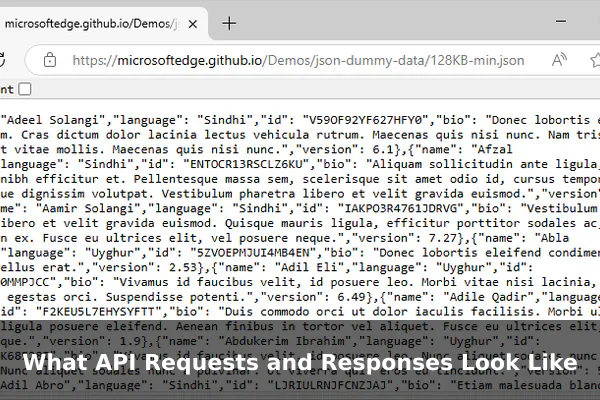
A simple API request for a user record might look like this:
GET https://api.example.com/users/42
This is asking the API to retrieve the record for user number 42. The server might respond with a JSON object like this:
{
  "id": 42,
  "name": "Sarah Johnson",
  "email": "[email protected]",
  "account_status": "active"
}
JSON uses key-value pairs that are easy for humans to read and for machines to parse. Along with the data, every API response also includes an HTTP status code:
- 200 OK — The request succeeded
- 201 Created — A new resource was successfully created
- 400 Bad Request — The request was malformed or missing a required field
- 401 Unauthorized — Authentication is required or the token is invalid
- 404 Not Found — The requested resource does not exist
- 500 Internal Server Error — Something failed on the server side
Why APIs Are Important in Modern Software
APIs are the reason modern software can do so much without starting from zero. Here’s why they matter in practice:
Speed of Development
Instead of building every feature from scratch, developers integrate ready-made services via APIs. A startup can add payment processing in a single afternoon by connecting Stripe’s API rather than spending months building a payment system from scratch.
Scalability and Modular Design
APIs let teams split large applications into smaller, independent services (microservices) that communicate through APIs. Each service can scale, update, and deploy independently without breaking the rest of the system.
Automation and Integration
APIs make it possible to automate workflows between separate tools. Marketing platforms, CRMs, analytics dashboards, and project management tools can exchange data automatically through API connections — no manual exports required.
API Benefits and Limitations
Benefits
- Reusability: One API can power thousands of different apps simultaneously
- Faster development: Plug in existing services instead of rebuilding them
- Flexibility: Apps on any platform or language can consume the same API
- Separation of concerns: Frontend and backend teams can work independently
- Ecosystem growth: Third parties can extend your product by building on your public API
Limitations
- Dependency risk: If a third-party API goes down, your app is affected too
- Rate limits: Most APIs cap requests per minute or per day, which can throttle busy apps
- Security concerns: Exposed API keys or tokens can be exploited if not handled carefully
- Versioning challenges: When an API changes or removes endpoints, dependent apps must update to match
- Latency: Every API call adds a network round trip that can accumulate into noticeable slowdowns
Key API Terms Made Simple
- Endpoint: A specific URL where an API receives requests (e.g.,
/productsor/users/login) - API Key: A unique identifier given to a developer to authenticate their requests
- Token: A short-lived credential used instead of a password for secure API access
- Authentication: Verifying the identity of whoever is making the request
- Webhook: The reverse of a standard API call — the server pushes data to your app when an event occurs, rather than you polling for updates
- SDK: A Software Development Kit — pre-built libraries that simplify using an API in a specific language
- Rate Limit: A cap on how many requests you can make within a given time window
- Payload: The actual data included in the body of a request or response
How to Start Using an API
If you’re new to APIs and want to try one out, the barrier to entry is lower than you might expect. Here’s a practical starting path:
- Pick a free public API. Good starting points include OpenWeatherMap, the NASA Open APIs, or The Movie Database (TMDB). All offer free tiers and beginner-friendly documentation.
- Read the documentation. Every API has docs explaining its endpoints, required parameters, authentication method, and response format. Always start here before writing any code.
- Get an API key. Register on the provider’s site. They’ll issue a unique key you include with each request to identify your app.
- Test with Postman or curl. Postman is a free graphical tool for sending API requests and inspecting responses.
curlis a command-line alternative. Both let you test without writing full application code first. - Parse the response. Once you receive a successful response, examine the JSON structure, identify the fields you need, and write code to extract and display them in your app.
APIs are the connective tissue of the modern internet. From social logins to payment processing to real-time data feeds, virtually every digital experience today relies on APIs working invisibly in the background. Understanding how they work — requests, endpoints, responses, authentication, and status codes — gives you a much clearer picture of how software systems are built and how they communicate with each other. Whether you’re a developer just starting out, a product manager collaborating with engineers, or simply someone curious about how apps actually function, knowing APIs means understanding the language modern software speaks.
