
Every time you open a messaging app, type a document, or stream a video, you are using application software. Most people interact with dozens of these programs every single day without giving them a second thought. But understanding what application software actually is — and how it works — can make you a smarter, more confident technology user.
This beginner’s guide explains application software in plain English. You will learn what it means, how it differs from system software, which types exist, and how to choose the right one for your needs. Whether you are a student, a professional, or simply curious about how your devices work, this guide gives you a clear mental model you can use right away.
What Is Application Software?
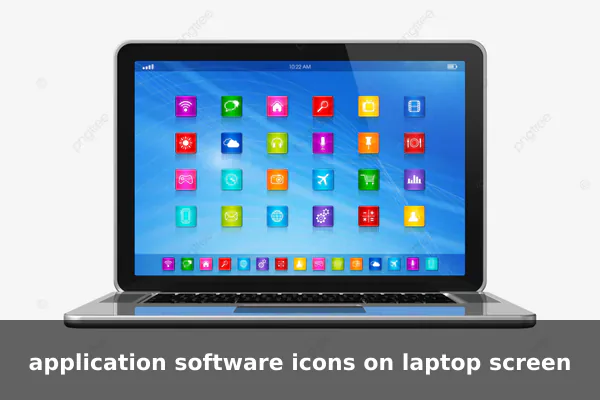
Application software is any program designed to help users perform a specific task. Unlike the underlying code that keeps your computer running, application software exists to serve a purpose you can see and interact with directly — writing, editing, communicating, playing, calculating, or creating.
A simple definition: application software is the software you actually use, as opposed to the software that runs your device quietly in the background. It is also commonly called an app, a term used for both desktop programs and mobile applications.
The Core Idea
Think of your device as a building. System software is the foundation, wiring, and plumbing — invisible but essential. Application software is everything inside the building: the furniture, tools, and equipment you use to get work done. Without the building, nothing runs. But without the applications, you have no reason to be there.
How Application Software Works in Everyday Life
Application software covers nearly every digital activity you perform in a day. Here are common scenarios where it appears without you even noticing:
- Communication: WhatsApp, Gmail, and Zoom are application software used for messaging, email, and video calls.
- Productivity: Microsoft Word, Google Docs, and Excel help you write reports, manage budgets, and organize information.
- Entertainment: Spotify, Netflix, and YouTube are applications that deliver music, movies, and video content on demand.
- Shopping: Amazon and other e-commerce platforms are shopping applications that let you browse and buy products online.
- Health and Fitness: Calorie counters and fitness trackers on your phone are application software designed to monitor wellness.
In short, if you are doing something meaningful with your device, you are almost certainly using application software to do it.
Application Software vs System Software
One of the most common sources of confusion for beginners is the difference between application software and system software. They are both software, but they serve entirely different roles.
System Software: The Foundation
System software manages and controls hardware. It creates the environment in which application software can run. Examples include:
- Operating systems — Windows, macOS, Android, iOS, and Linux
- Device drivers — software that lets your printer, keyboard, or graphics card communicate with your computer
- Firmware — low-level code embedded directly in hardware components
Application Software: The Tools You Use
Application software depends on system software to function. You cannot run Microsoft Word on a computer with no operating system. The OS handles memory, processing, and hardware access; Word focuses entirely on helping you write documents. That is the key distinction:
- System software manages hardware and system resources
- Application software helps users accomplish specific, visible tasks
One depends on the other, but they operate at different levels and serve very different purposes.
Main Types of Application Software
Application software comes in many forms. Understanding the main categories helps you identify what you need and what is already available to you.
Productivity and Office Software
Designed for creating documents, spreadsheets, and presentations. These are among the most widely used programs in workplaces and schools. Examples: Microsoft Office, Google Workspace, LibreOffice.
Communication Software
Built for sending messages, emails, and joining video calls. Examples: Slack, Zoom, Microsoft Teams, Gmail, WhatsApp.
Media and Entertainment Software
Used for playing music, watching videos, editing creative content, or gaming. Examples: VLC, Spotify, Audacity, Adobe Premiere, Steam.
Educational Software
Supports learning through interactive lessons, quizzes, and simulations. Examples: Duolingo, Khan Academy apps, Coursera, and school-specific learning management systems.
Business and Accounting Software
Helps companies manage finances, customer data, inventory, and operations. Examples: QuickBooks, SAP, Salesforce, Xero.
Web Browsers
Allow users to navigate and interact with the internet. Examples: Google Chrome, Mozilla Firefox, Safari, Microsoft Edge.
Utility Applications
Handle maintenance tasks from the user’s perspective, such as file compression, antivirus scanning, or reading PDF files. Examples: WinRAR, Avast, Adobe Acrobat Reader.
Common Examples of Application Software
Here is a practical reference list of widely used application software you likely already know:
- Microsoft Word — word processing and document creation
- Google Chrome — web browsing
- WhatsApp — messaging and voice or video calls
- Adobe Photoshop — image editing and graphic design
- Excel / Google Sheets — spreadsheet management and data analysis
- Zoom — video conferencing and online meetings
- Spotify — music streaming
- QuickBooks — accounting and financial management
- Duolingo — language learning
- VLC Media Player — playing audio and video files
Each of these tools is built for a specific, visible purpose — which is the defining feature of application software: it exists to help you do something meaningful.
Why Application Software Matters
Understanding application software matters for several practical reasons that affect your daily work and personal life:
- Efficiency: The right software speeds up tasks that would take hours to do by hand.
- Collaboration: Tools like Google Docs allow multiple users to work on the same file in real time from different locations around the world.
- Creativity: Design, video editing, and music software unlock creative possibilities once limited to professionals with expensive studio equipment.
- Automation: Business software can automate invoicing, inventory tracking, and data entry, reducing human error and saving time.
- Accessibility: Many powerful applications are now free or low-cost, available to anyone with a smartphone or basic computer.
How to Choose the Right Application Software
With thousands of applications available across every category, choosing the right one can feel overwhelming. Use these beginner-friendly criteria to narrow your options:
- Purpose: Clearly define the task you need to accomplish before searching for software. Vague goals lead to poor software choices.
- Ease of use: Look for an intuitive interface, especially if you are new to the software category.
- Compatibility: Make sure the application works on your specific operating system — Windows, macOS, Android, or iOS.
- Cost: Compare free, freemium, and paid options. Free versions often cover basic needs for casual users.
- Security: Download only from official developer websites or trusted app stores such as Google Play or the Apple App Store to avoid malware.
- Support: Check whether the developer offers tutorials, documentation, or customer support in case you run into problems.
Key Takeaways About Application Software
Application software is one of the most important concepts in modern technology, and it is simpler than it sounds. Here is a quick summary to reinforce what you have learned:
- Application software is any program designed to help users complete specific tasks.
- It is different from system software, which manages hardware and creates the operating environment.
- Common types include productivity tools, communication apps, media players, web browsers, and business software.
- Familiar examples include Microsoft Word, Google Chrome, WhatsApp, Zoom, and Spotify.
- Choosing the right software depends on your purpose, budget, device compatibility, and security considerations.
Now that you understand what application software is and how it fits into the broader technology ecosystem, you are better equipped to make informed decisions about the tools you use every day. Whether you are picking a new app for your smartphone, evaluating software at work, or studying for a technology exam, this foundation will serve you well. The next time you open an app, you will know exactly what you are working with — and why it matters.