

Every time you tap an icon on your smartphone to check the weather, send a message, or order food, you are using a mobile app. These small but powerful programs have become an essential part of daily life, connecting people to services, entertainment, and information within seconds. Yet many users never stop to think about what a mobile app actually is, how it works, or why so many different kinds exist.
This guide answers all of those questions in plain language. Whether you are a first-time smartphone owner or someone who uses dozens of apps each day, you will come away with a clear understanding of what mobile apps are, the main types that exist, and real-world examples that illustrate each one. We also compare mobile apps to mobile websites so you know exactly what sets them apart.
What Is a Mobile App?
A mobile app — short for mobile application — is a software program designed to run on a smartphone or tablet. Unlike software built for desktop computers, mobile apps are built from the ground up with touchscreens, small displays, and on-the-go use in mind. They are distributed through digital storefronts such as the Apple App Store for iPhone and iPad users or the Google Play Store for Android devices.
Mobile apps cover an enormous range of purposes. A banking app lets you check your balance and transfer money without visiting a branch. A fitness app tracks your steps and heart rate throughout the day. A streaming app delivers movies and music on demand. What all these programs share is that they are installed directly on your device and designed to work seamlessly within the mobile operating system.
Mobile Apps vs Desktop Software
Desktop software runs on Windows or macOS machines and is built for larger screens, keyboards, and more processing power. Mobile apps, by contrast, are optimized for portable hardware, battery life, and touch input. A mobile app communicates with the phone’s hardware — its camera, GPS chip, accelerometer, and speakers — in ways that desktop software simply cannot replicate.
How Mobile Apps Work on Smartphones and Tablets
Once you download and install a mobile app, it sits on your device’s internal storage. When you open it, the app loads into memory and begins communicating with the operating system. This communication is managed through programming interfaces that give developers controlled access to device features.
- Permissions: Apps request access to specific hardware or data, such as your location, contacts, or camera, which you can grant or deny.
- Updates: App stores deliver updates automatically or on demand to fix bugs, improve performance, and add features.
- Internet connectivity: Some apps require a constant connection; others work fully offline once installed.
- Push notifications: Apps can send alerts to your lock screen even when they are not open, keeping you informed in real time.
Main Types of Mobile Apps
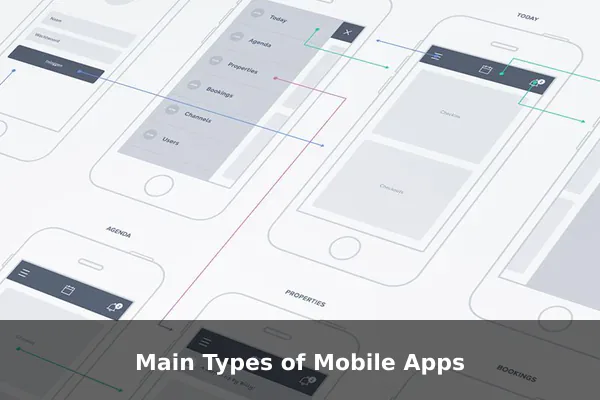
Developers build mobile apps using three fundamentally different approaches. Each approach has its own strengths, trade-offs, and ideal use cases.
Native Apps
A native app is built specifically for one operating system using the tools and languages the OS maker recommends. iOS native apps are typically written in Swift or Objective-C; Android native apps use Kotlin or Java. Because a native app is purpose-built for its platform, it can take full advantage of device hardware and delivers the smoothest possible user experience. Examples include Instagram on iPhone, Google Maps on Android, and Apple’s own Messages app. The trade-off is cost: maintaining separate codebases for iOS and Android doubles development effort.
Web Apps
A web app is essentially a website designed to look and feel like a mobile app when accessed through a smartphone browser. It is not installed from an app store; users simply visit a URL. Web apps run in the browser and therefore work on any device with a compatible browser, regardless of operating system. However, they have limited access to device hardware, cannot send push notifications in most cases, and are not discoverable through app stores.
Hybrid Apps
A hybrid app combines elements of both approaches. The core is built with web technologies such as HTML, CSS, and JavaScript, then wrapped in a native shell that allows installation from an app store and hardware access through a bridge layer. Frameworks like React Native, Flutter, and Ionic are popular tools for hybrid development. Hybrid apps let developers write most code once and deploy on both iOS and Android — a strong balance between performance and cost.
Popular Categories of Mobile Apps
Beyond technical architecture, mobile apps are most commonly grouped by what they help users do. The categories below represent the broadest and most active segments of the mobile app market.
- Communication and Social Media: WhatsApp, Telegram, Instagram, TikTok, Snapchat, and Facebook.
- Productivity and Utilities: Microsoft Office, Google Docs, Notion, Todoist, and file managers.
- Entertainment and Streaming: Netflix, Spotify, YouTube, Disney+, and Apple Music.
- Health and Fitness: MyFitnessPal, Strava, Calm, and Apple Health.
- Finance and Banking: Chase, Revolut, PayPal, and investment platforms.
- E-commerce and Shopping: Amazon, eBay, Shopee, and Lazada.
- Education and Learning: Duolingo, Khan Academy, Coursera, and Google Classroom.
- Games: Candy Crush, PUBG Mobile, and Genshin Impact — the largest revenue category in the app market.
Examples of Mobile Apps People Use Every Day
Here is a quick look at some of the most widely used mobile apps and what each one does for its users.
- WhatsApp — Free text, voice, and video messaging over the internet, used by over two billion people worldwide.
- Google Maps — Real-time navigation, traffic updates, and business information powered by GPS.
- Instagram — Photo and video sharing, Stories, Reels, and direct messaging for personal and brand accounts.
- Spotify — On-demand music streaming with curated playlists, podcasts, and offline downloads.
- Uber — Ride-hailing that matches passengers with nearby drivers using live GPS location data.
- Duolingo — Gamified language-learning lessons available in over 40 languages.
Mobile Apps vs Mobile Websites
Many businesses offer both a mobile app and a mobile website. Understanding the difference helps users and businesses choose the right tool.
- Installation: Mobile apps must be downloaded; mobile websites open instantly in a browser with no installation required.
- Speed: Native apps load faster because they cache data locally instead of reloading from a server each time.
- Offline access: Many apps work without an internet connection for core features; websites generally require connectivity.
- Device integration: Apps deeply integrate with cameras, GPS, accelerometers, and biometric sensors; websites have much more limited access.
- Personalization: Apps remember preferences, login state, and usage history far more reliably than a browser session.
Why Businesses and Users Rely on Mobile Apps
The growth of mobile apps is not accidental. Both individuals and businesses gain measurable advantages from app-based interactions.
For Users
Mobile apps reduce friction at every step. Logging into a banking app with Face ID takes two seconds compared to typing credentials on a website. Ride-hailing apps detect your location automatically. Streaming apps remember exactly where you stopped watching. These small conveniences, multiplied across dozens of apps, save significant time and effort every day.
For Businesses
Apps create a persistent presence on the user’s device — a brand icon on the home screen is a daily visual reminder. Push notifications let businesses reach customers with time-sensitive offers without relying on email open rates. In-app analytics provide detailed behavioral insights that enable continuous improvement. For e-commerce, mobile apps typically deliver higher conversion rates and larger average order values than mobile websites.
What to Look for in a Good Mobile App
Not all mobile apps are created equal. When evaluating whether an app is worth your time and storage space, consider these key qualities.
- Ease of use: A well-designed app should be intuitive from the first launch, with clear menus and obvious actions.
- Performance: The app should load quickly, respond to touches without delay, and avoid draining battery life unnecessarily.
- Reliability: Frequent crashes or data loss are red flags. Check recent user reviews before committing to an app for important tasks.
- Security: Look for apps that use encryption, require authentication, and explain clearly what data they collect and why.
- Regular updates: Active development signals ongoing bug fixes, security patches, and added value. An app last updated two years ago may be a liability.
Conclusion
Mobile apps are self-contained software programs built specifically for smartphones and tablets, and they have fundamentally changed the way people communicate, shop, learn, and entertain themselves. From native apps that maximize OS-level performance to hybrid apps that reach multiple platforms efficiently, the variety of app types reflects the diversity of the problems they solve.
Understanding what a mobile app is, how it differs from a website, and which types and categories exist gives you a clearer picture of the technology landscape around you — and helps you make smarter, more informed choices every time you open your app store.
