
Every growing business reaches a point where the same tasks get done the same way, over and over, by people who could be doing more valuable work. Invoices sit in email inboxes waiting for approval. New employees chase down software access they need on day one. Customer inquiries get routed to the wrong team, then re-routed again. These are not edge cases — they are the daily reality of most operations, and they quietly drain time, money, and morale.
Business Process Automation (BPA) uses software to handle those repetitive steps automatically — consistently, at scale, and without fatigue. This article explains what BPA actually is, how it works across real workflows, what it takes to implement it well, and where it tends to go wrong.
What Business Process Automation Actually Means
Business Process Automation is the use of technology to perform recurring business tasks and workflows with minimal human involvement. The goal is not to replace human judgment entirely, but to remove the mechanical, rule-based steps that humans repeat unnecessarily.
It helps to distinguish BPA from a few related concepts:
- Basic scripting or macros automate a single action in isolation — like renaming files or sending a templated email. They do not coordinate multi-step workflows across systems.
- Robotic Process Automation (RPA) mimics human interaction with software interfaces, useful when no API exists. BPA is broader and typically works through native integrations.
- Business Process Management (BPM) is a discipline focused on analyzing and improving processes. BPA is the implementation layer that makes those improvements operational.
In practice, BPA sits in the middle — more sophisticated than a one-off script, more focused than a full enterprise BPM platform, and more grounded in operational reality than a theoretical process model.
How Business Process Automation Works Step by Step
Every automated process follows a recognizable structure. Understanding that structure makes it easier to design, test, and maintain automation correctly.
The Typical Automation Sequence
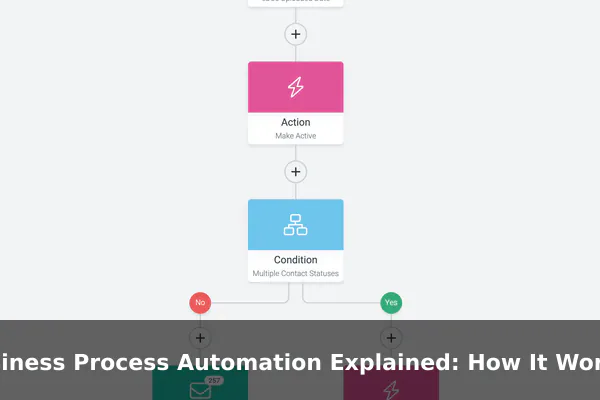
- Trigger — An event starts the process. This might be a form submission, an incoming email, a scheduled time, a data change in a database, or a webhook from another system.
- Data extraction — The system pulls relevant information from the trigger source: names, amounts, dates, status codes, or any field the next step needs.
- Conditional logic — Rules determine what happens next. If an invoice amount exceeds a threshold, it routes to a senior approver. If it falls below, it approves automatically. Branching logic makes automation flexible.
- Actions — The system performs tasks: updating a record, sending a notification, creating a task, calling an API, moving a file, or generating a document.
- Human checkpoint — Not every step should be fully automated. Approvals, exceptions, and judgment calls pause the workflow until a person responds.
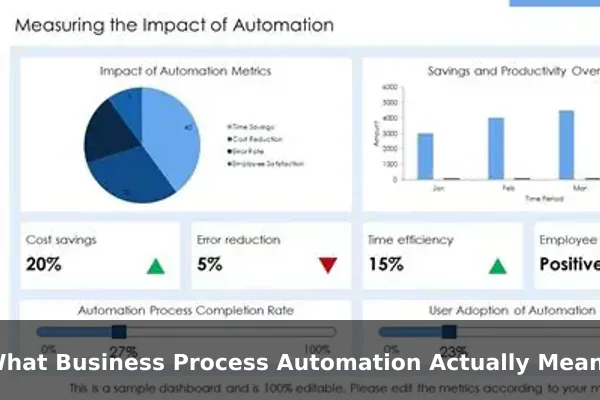
- Logging and reporting — The system records what happened, when, and by whom, creating an audit trail and feeding performance dashboards.
This sequence repeats reliably every time the trigger fires, without manual coordination in between steps.
Common Business Processes That Are Easy to Automate
Some workflows are strong candidates for automation because they are high-volume, rule-based, and clearly defined. The most common examples include:
- Invoice and purchase order processing — Capture invoice data, match it to a purchase order, route for approval based on amount, and post to accounting once approved.
- Employee onboarding — Trigger account creation, software access, equipment requests, and training assignments the moment an HR record is confirmed.
- Customer support routing — Classify incoming tickets by topic, urgency, or customer tier, then assign them to the correct team automatically.
- Sales follow-up sequences — When a lead fills out a form or opens a key email, trigger a timed sequence of personalized messages until they respond or disqualify.
- Document approvals — Route contracts, proposals, or compliance forms through a defined approval chain and notify each signatory at the right stage.
- Scheduled reporting — Pull data from multiple sources on a fixed schedule, compile it into a standard format, and deliver it to stakeholders automatically.
The Core Components of a BPA System
Building or evaluating an automation system requires understanding its moving parts and how they fit together.
Key Building Blocks
- Workflow engine — The core that runs process logic, manages state, and coordinates step execution in sequence or in parallel branches.
- Integrations and connectors — Pre-built or API-based connections to the other software your business uses: CRM, ERP, email, cloud storage, and databases.
- Forms and input layers — Interfaces that collect structured data from people and feed it cleanly into automated steps downstream.
- Conditional logic builder — A rule engine that lets non-engineers define if/then/else branching and routing without writing code.
- Notification system — Email, SMS, in-app alerts, or team messaging that keeps the right people informed at exactly the right moment.
- Audit log and dashboard — A full record of every execution, its outcome, and who acted — essential for compliance, debugging, and continuous improvement.
Benefits, Limits, and Risks to Watch
BPA offers measurable advantages, but it also carries risks that organizations regularly underestimate when rolling it out for the first time.
What You Gain
- Time savings — Routine tasks that previously took hours can complete in seconds at any volume.
- Consistency — Automated steps follow rules identically every time, eliminating the variation introduced by human fatigue or miscommunication.
- Scalability — Work volume can increase without proportionally growing headcount or coordination overhead.
- Visibility — Dashboards reveal exactly where work stands, who is responsible, and where bottlenecks consistently form.
Where It Goes Wrong
- Automating a broken process — If the underlying workflow is flawed, automation makes errors happen faster and at much larger scale.
- Poor data quality — Automation depends on clean, structured input. Inconsistent or missing data produces bad outputs, often with no human catching it.
- Over-automation — Removing all human checkpoints in complex decisions creates accountability gaps and removes the ability to catch unusual edge cases.
- Tool dependency fragility — Deeply integrated automation becomes vulnerable when one connected system changes its API, data structure, or authentication model.
How to Start Without Creating Chaos
Rolling out BPA without a clear plan is a reliable way to introduce new problems rather than solving existing ones. A structured approach keeps the first implementation small, measurable, and improvable.
- Audit your repetitive work — Survey teams to identify tasks that consume regular time without requiring genuine human judgment or creativity.
- Map the process end to end — Document every step, decision point, exception case, and handoff before configuring any tooling.
- Choose one pilot process — Start with a high-volume, low-risk workflow. Invoice routing or support ticket classification are common and safe starting points.
- Define measurable KPIs before launch — Agree on what success looks like: cycle time reduction, error rate, volume processed, or cost per transaction.
- Run manual and automated processes in parallel briefly — Keep the human-driven process running alongside automation to catch edge cases before cutting over fully.
- Review and improve iteratively — Treat the first version as a draft. Collect feedback, identify gaps, and refine the logic before expanding to additional processes.
Choosing the Right Automation Tools for Your Team
The right tool depends on your team’s technical depth, existing software stack, and the complexity of the processes you want to automate. When evaluating platforms, weigh these factors:
- Integration library — Does it connect natively to the systems you already use, or does every integration require custom development?
- Ease of use for non-engineers — Can operations, HR, or finance staff build and adjust workflows without waiting on a developer?
- Governance and permissions — Can you control who can create, edit, or deactivate automation to prevent unauthorized or conflicting workflows?
- Audit and compliance support — Does it maintain tamper-evident logs for regulated industries such as finance, healthcare, or legal services?
- Pricing model and scalability — Does cost scale in line with your actual usage, or does pricing jump sharply at higher volumes or user counts?
Widely used platforms include Zapier and Make for lighter integration work, Microsoft Power Automate for organizations already in the Microsoft ecosystem, and tools like Camunda or Kissflow for more complex, multi-team process orchestration. The right fit depends on your current stack, team skills, and process complexity — not on which platform has the longest feature list or the most aggressive marketing presence.
Business Process Automation is not a trend to evaluate from a distance — it is a practical shift in how operational work gets done. When applied to the right processes with clear rules and reliable data, it frees teams to focus on judgment-heavy work that genuinely benefits from human involvement. The organizations that implement it most successfully are not the ones with the most sophisticated tooling. They are the ones that understood their processes clearly before they automated anything.
