
Task management software is a type of application designed to help individuals and teams organize, assign, track, and complete work in a structured and visible way. At its core, it replaces scattered emails, sticky notes, and verbal agreements with a single reliable system where every task has a place, an owner, and a deadline.
As work has become more distributed — with remote teams, freelancers, and multi-department projects becoming the norm — the need for a shared workspace where tasks are clearly defined has grown significantly. Without it, important items fall through the cracks, priorities get confused, and accountability becomes hard to enforce. Task management software exists to solve exactly these problems, and it does so across a wide range of tools, from lightweight personal apps to enterprise-grade platforms.
This article explains what task management software means, why teams rely on it, which features matter most, and how well-known examples compare so you can make a more informed choice for your own work.
What Task Management Software Means
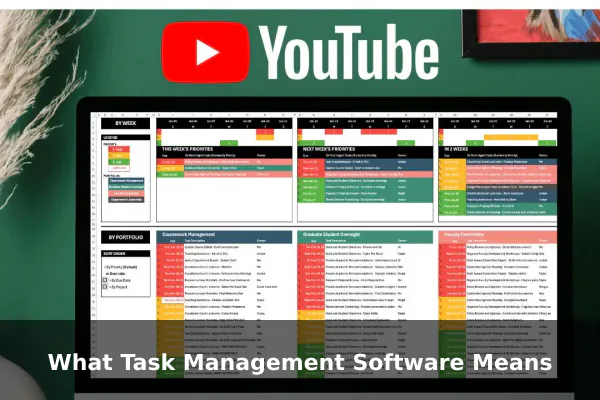
At its simplest, task management software is a digital system for creating, organizing, and tracking units of work called tasks. Each task typically has a name, a due date, a status such as to-do, in progress, or done, and often an assignee — the person responsible for completing it.
It is worth distinguishing task management software from closely related categories. A basic to-do list app like Apple Reminders or Google Tasks handles personal checklists but lacks meaningful collaboration features. Full project management platforms like Microsoft Project go further, managing timelines, budgets, resource allocation, and complex dependencies. Task management software sits in the middle: it handles structured work organization and team collaboration without requiring the overhead of comprehensive project planning tools.
Collaboration apps like Slack or Microsoft Teams are communication platforms, not task systems — though many integrate with task software. The key distinction is that task management software is built around work items, not conversations.
Who Uses It
- Individuals and freelancers who need to track client deliverables, personal goals, and daily routines
- Small teams coordinating on shared projects without a dedicated project manager
- Large organizations managing work across departments, time zones, and tools
- Agencies and creative studios juggling multiple client projects simultaneously
Why People Use It in Everyday Work
The practical reason most people turn to task management software is simple: work is difficult to track without structure. When tasks exist only in someone’s memory or buried in a chat thread, they are easily forgotten or delayed. A dedicated task tool makes work visible, which fundamentally changes how individuals and teams behave and follow through.
Key Benefits
- Visibility: Everyone on a team can see what tasks exist, who owns them, and what stage they are at — removing the need to ask for updates constantly.
- Prioritization: Tasks can be tagged by urgency or importance, so people know what to work on first when time is limited.
- Deadline tracking: Due dates are visible at a glance, and many tools send automatic reminders before a task becomes overdue.
- Accountability: When a task has a clear owner, it is easier to follow up and harder for work to go unnoticed.
- Reduced confusion: A shared task list means fewer repeated check-in conversations and fewer duplicated efforts across a team.
For individuals, task software also reduces cognitive load. Instead of mentally juggling a list of responsibilities, you offload that burden to a reliable system and focus on execution. This concept — often called getting things out of your head — is a foundation of modern personal productivity methodology.
Core Features to Look For
Not all task management tools offer the same feature set, but certain capabilities appear in nearly every credible product. Understanding these helps you evaluate options without getting distracted by surface-level differences in design or branding.
Task Creation and Detail Fields
Every tool lets you create a task with a title, but the most useful tools let you add detail that makes each task actionable:
- Due dates and times for clear deadlines
- Assignees so responsibility is explicit and not assumed
- Priority levels such as low, medium, high, or urgent to signal relative importance
- Status fields that track progress from to-do through to completed
- Tags or labels for filtering and grouping tasks by project, team, or topic
- Descriptions and attachments so task context is stored in one place rather than spread across emails
- Comments to keep discussion tied directly to the task rather than scattered in chat
Recurring Tasks and Reminders
For work that repeats on a schedule — weekly reports, monthly reviews, or regular check-ins — recurring task support is essential. It automates the creation of repetitive work items so nothing is forgotten. Reminders and notifications ensure that upcoming or overdue tasks are flagged before they become a problem.
Search and Filtering
As task lists grow, the ability to search by keyword, filter by assignee, or sort by deadline becomes critical. Good task software makes it easy to find any task in seconds rather than scrolling through hundreds of entries manually.
Subtasks and Dependencies
More advanced tools allow tasks to contain subtasks, breaking large work items into manageable steps. Some also let you link tasks so that one cannot begin until another is finished — useful for multi-step workflows where sequence matters.
Views and Workflows That Shape How Teams Operate
One underappreciated aspect of task management software is the variety of views it offers. The same set of tasks can look very different depending on how they are displayed, and different views serve different working styles and roles within a team.
List View
The most straightforward layout, list view shows tasks as rows in a vertical list. It is fast to scan, easy to sort, and works well for individuals managing personal queues or teams reviewing all open work at once. Most tools default to list view because it is the most universally readable format regardless of workflow complexity.
Board View
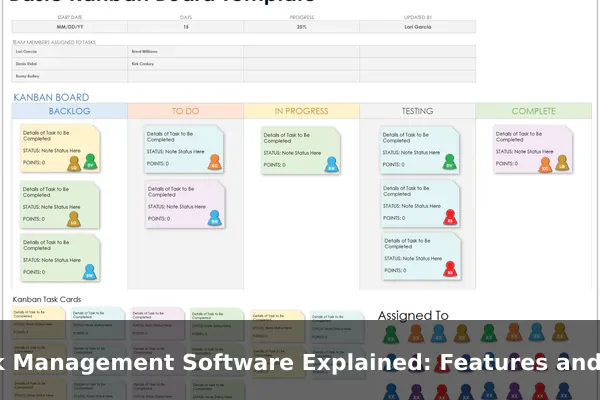
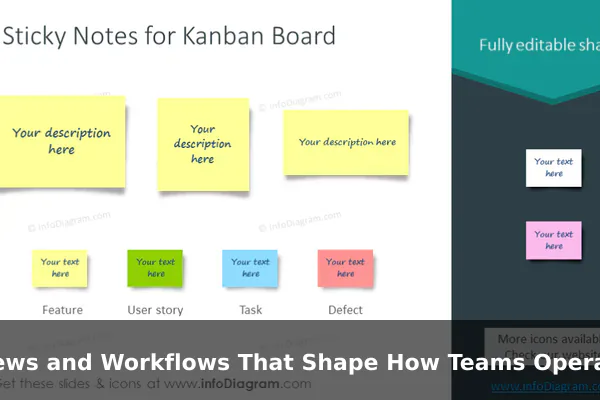
Popularized by Kanban methodology, board view organizes tasks as cards arranged in vertical columns that represent different stages of a workflow — typically Backlog, In Progress, Review, and Done. Teams move cards between columns as work progresses. Board view is especially popular with software and design teams but translates well to any team that benefits from seeing work in motion across defined stages.
Calendar View
Calendar view maps tasks onto a traditional calendar, showing due dates by day, week, or month. It is particularly useful for content teams, marketing departments, and anyone managing deadline-heavy work where timing and spacing between deliverables matter.
Timeline View
Timeline view shows tasks laid out on a horizontal time axis, making it easy to see how long tasks are scheduled to run and whether they overlap. This view helps with planning larger bodies of work where sequencing and scheduling visibility are important for team coordination.
Dashboard View
Dashboards aggregate information across projects or teams into charts, progress indicators, and summary widgets. They are most useful for managers or team leads who need a high-level overview of work health rather than granular task-level details.
Examples of Task Management Software
The market for task management software is wide, and several tools have become well-recognized names in the productivity space. Here is a practical look at some of the most commonly used options and what each is known for.
Trello
Trello is built around board view and is one of the most visually intuitive tools available. Cards represent tasks and boards represent projects. It is often recommended for beginners and small teams because it requires almost no setup to get started. Its simplicity is also a limitation — teams with complex or multi-layered workflows often find they need a more feature-rich platform as their needs grow.
Asana
Asana is a widely used platform that balances usability with a solid feature set. It supports list, board, calendar, and timeline views, includes automation rules, and integrates with hundreds of third-party applications. It is commonly used by marketing, operations, and product teams and is considered a strong mid-market option that scales reasonably well without becoming overly complicated to manage.
ClickUp
ClickUp positions itself as an all-in-one productivity platform. It offers an unusually large number of features including custom statuses, multiple views, built-in documents, goal tracking, time tracking, and workflow automation. Teams that want a single tool for nearly everything often gravitate toward ClickUp, though its feature density can feel overwhelming to new users who need a simpler starting point.
Monday.com
Monday.com uses a spreadsheet-like interface where tasks are rows and columns can be customized to track any type of information. It is highly visual and favored by teams that want to build their own workflows rather than adapt to a fixed structure. It includes robust automation and integrations and tends to appeal to operations and cross-functional teams managing varied types of work.
Todoist
Todoist is a personal and team task manager known for its clean design and natural language input. Typing a phrase like “finish report every Friday at 10am” automatically creates a recurring task with the correct date and time. It is favored by individuals and small teams who want a lightweight, fast experience without the complexity of enterprise platforms.
Notion
Notion blurs the line between task management, documentation, and databases. Users build their own task systems using flexible content blocks, which means Notion can look very different from one team to the next. It is powerful for teams that want to combine task tracking with internal knowledge bases or project documentation, though it requires more initial setup than dedicated task tools.
How to Choose the Right Tool
The best task management software is the one your team will actually use consistently. Many teams choose tools based on feature lists rather than real fit, which leads to low adoption and abandoned implementations.
Questions to Ask Before Choosing
- How large is your team? Solo users and small teams often do best with simpler tools. Larger teams need features like roles, permissions, and team-wide reporting.
- How complex is your work? If tasks have many dependencies or require detailed tracking, look for subtasks, timeline views, and automation. If your work is straightforward, a simple board or list tool is sufficient.
- What tools do you already use? Integration with apps like Slack, Google Workspace, GitHub, or your CRM matters if you want task management to fit into an existing workflow rather than replace it.
- Do you need mobile access? Remote workers and people who move between locations rely on strong mobile apps. Verify that the mobile experience works well, not just the desktop browser version.
- What is your budget? Many tools offer free tiers with reasonable limits for small teams. Paid plans vary widely in cost and capability, so compare what you actually get at each pricing level before committing.
Running a short trial with your actual tasks is more revealing than any feature comparison chart. A month of real usage shows usability issues, missing capabilities, and adoption friction that no product demo will surface.
Common Mistakes When Adopting a Task Tool
Switching to a task management tool does not automatically improve how a team works. The tool needs to be set up sensibly and used consistently across the team to deliver its benefits.
Overcomplicating the Setup
A common early mistake is creating too many statuses, tags, folders, and views before anyone has used the tool with real work. Start with the simplest structure possible and add complexity only when a genuine need emerges from actual use. An elaborate setup is harder to maintain and tends to confuse new team members joining later.
Tasks Without Owners
Tasks with no assignee frequently go unfinished because no one feels responsible for them. Every task that requires action from a specific person should have a named assignee. Assigning a task to a team or department is not a substitute — someone on that team needs to be named.
Inconsistent Usage Across the Team
If half a team uses the tool and the other half continues to rely on email or chat for task communication, the system breaks down. Adoption should be a team-wide decision, backed by a shared agreement on what types of work go into the tool and what legitimately stays elsewhere.
Neglecting Regular Maintenance
Task lists grow quickly and become cluttered with old, completed, or irrelevant items. A brief weekly review to close finished tasks, update statuses, and remove outdated entries keeps the system trustworthy. Without this habit, teams lose confidence in the tool because it stops reflecting the actual state of work.
When Task Management Software Is Worth It
Task management software delivers the most value when work involves multiple people, multiple concurrent projects, or a consistent need to track progress over time. If you regularly find yourself wondering where a task ended up or who is responsible for something, a dedicated tool will almost certainly improve the situation.
For very simple personal use, a basic notes app or a free to-do tool may be entirely sufficient. You do not need a subscription to a feature-rich platform to track a handful of personal goals or routine reminders.
However, once your work involves multiple contributors working toward shared deadlines, recurring processes that need consistent tracking, or any need to report progress to stakeholders, a proper task management platform becomes genuinely worthwhile. The time saved on status meetings, missed deadlines, and repeated clarification conversations typically outweighs the subscription cost many times over.
The best starting point for most teams is the free tier of a well-regarded tool — Trello, Asana, ClickUp, and Todoist all offer meaningful free plans — used consistently for a month before any decision to upgrade or switch. Real usage reveals what you actually need, and that is a far more reliable guide than comparing feature lists in the abstract.
