
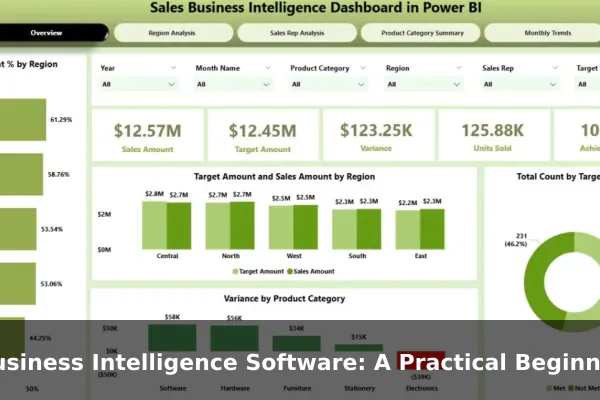
Business intelligence software has become one of the most discussed categories in modern technology, and for good reason. Organizations of every size — from small retail shops to large enterprises — collect enormous amounts of data every day, yet few know how to turn that data into decisions that actually move the business forward. BI software exists to bridge that gap, giving teams a structured way to see what the numbers are actually saying.
If you have heard phrases like data-driven decisions, real-time dashboards, or key performance indicators, you were hearing about the output that business intelligence tools are designed to deliver. The challenge for beginners is that BI software often gets bundled into broader technology conversations, making it difficult to understand what it actually does versus what it simply promises on a vendor slide.
This guide cuts through the noise. You will learn what business intelligence software is, how it works in practice, which features matter most for newcomers, how real businesses apply it, and what to look for before committing to a platform. Whether you are a business owner exploring options or a new analyst entering the field, this is your practical starting point.
What Business Intelligence Software Actually Does
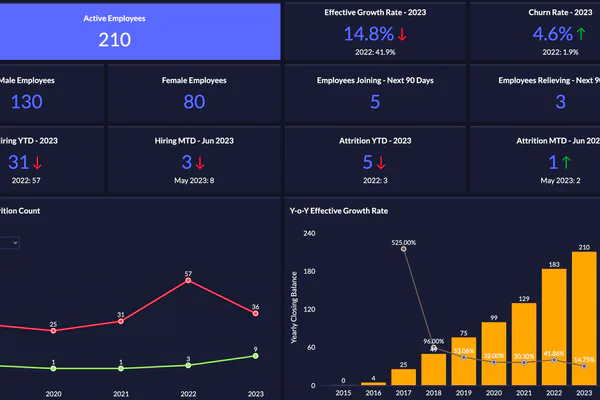
Business intelligence software is a category of applications designed to collect data from multiple sources, organize it, and present it in a format that helps people make better, faster decisions. In practical terms, it takes raw numbers — sales figures, website traffic, inventory counts, customer records — and transforms them into charts, tables, reports, and dashboards that are easy to read and immediately actionable.
The core workflow of BI software follows a consistent path:
- Data collection — the software pulls data from sources such as spreadsheets, databases, CRM platforms, and accounting systems.
- Data preparation — raw data is cleaned, structured, and stored in a way that makes analysis reliable.
- Analysis — the software applies calculations, comparisons, and logic to surface patterns and anomalies.
- Visualization — results appear as charts, graphs, and tables within customizable dashboards.
- Reporting — users generate scheduled or on-demand reports to share with teams or leadership.
The key difference between BI software and a standard spreadsheet is automation and scale. A spreadsheet requires someone to manually enter and update data. BI software connects directly to live data sources and refreshes reports automatically. When your sales system logs a new transaction, your BI dashboard can reflect that change within minutes — without anyone lifting a finger.
Who Uses BI Software?
BI software is used across industries and job functions. Sales managers track pipeline performance. Marketing teams measure campaign results. Finance departments monitor cash flow and budget variances. Operations teams identify production bottlenecks. The common thread is a need to make decisions based on accurate numbers rather than instinct or outdated reports collected manually each week.
Common Features Beginners Should Recognize
Not all BI tools are built the same, but most share a core set of features that beginners should understand before evaluating options. Recognizing these features by name will help you read product descriptions and sit through vendor demos more critically.
Dashboards and KPIs
A dashboard is a visual screen displaying the most important metrics in one place. Think of it like the instrument panel in a car — it shows speed, fuel level, and alerts at a glance without requiring you to open the hood. In business intelligence, dashboards display key performance indicators (KPIs) such as monthly revenue, conversion rate, average order value, or customer churn percentage.
Most BI platforms let you build custom dashboards by dragging and dropping chart types, selecting data fields, and arranging the layout. Beginners should prioritize tools where this process does not require any coding knowledge and where results look sensible from day one.
Data Connectors
A data connector is a pre-built integration that links your BI tool to an external system. Common connectors include:
- Google Analytics or Google Sheets
- Salesforce or HubSpot (CRM systems)
- QuickBooks or Xero (accounting tools)
- MySQL, PostgreSQL, or SQL Server (databases)
- E-commerce platforms like Shopify or WooCommerce
The more native connectors a BI tool offers out of the box, the faster you can get started without custom development work or repetitive manual exports.
Scheduled Reports, Drill-Downs, and Alerts
Scheduled reports are automatically generated and delivered at set intervals — daily sales summaries, weekly traffic overviews, or monthly financial snapshots. Drill-down functionality lets users click on a high-level number and see the underlying detail behind it. Alerts notify users when a metric crosses a threshold, such as inventory dropping below a reorder level or a campaign’s cost per click exceeding the budget ceiling.
How Businesses Use BI in Real Situations
Understanding BI features in theory is useful. Seeing how they apply in real business contexts makes the value far more concrete and helps you identify where your own organization would benefit most.
Sales performance tracking: A sales manager builds a dashboard showing each rep’s monthly quota progress, deals closed, and average deal size. Instead of waiting for a weekly status meeting, the manager sees live numbers every morning and can coach proactively where needed.
Inventory and supply chain visibility: A retail business connects its point-of-sale system to a BI tool and immediately sees which products are selling fastest, which items are running low, and which store locations are overstocked — preventing both costly stockouts and unnecessary overbuying.
Customer behavior analysis: An e-commerce company imports website session data alongside purchase history to identify which customer segments buy most frequently, what the average order value looks like by traffic channel, and where users drop off in the checkout flow.
Financial monitoring: Finance teams compare actual spending against budget, track revenue by product line, and model cash flow projections using historical trend data — all without manually assembling spreadsheets at the end of each month.
Marketing campaign measurement: Marketing teams connect ad platform data to their BI tool to see which campaigns produce the lowest cost per acquisition and the highest customer lifetime value, so budget allocation decisions are grounded in evidence rather than assumptions or recency bias.
Benefits and Limits You Should Understand Early
An honest view of what BI software delivers — and where it consistently falls short — will save you from post-implementation disappointment and wasted budget.
Real Benefits
- Faster decision-making: When key metrics are visible in one place, decisions that once required days of manual data gathering can happen in hours with greater confidence.
- Reduced manual reporting: Automated reports free analysts and managers from the hours spent copying data between spreadsheets every week, freeing that time for actual analysis.
- Consistent metrics across teams: A shared BI platform ensures everyone is looking at the same numbers, eliminating the arguments and confusion caused by conflicting reports from different spreadsheet versions.
- Historical trend analysis: BI tools store and visualize historical data, making it straightforward to compare current performance against past periods without assembling the comparison manually.
- Scalability: As the business grows and data volumes increase, a well-chosen BI platform can expand alongside it without requiring a full technology replacement.
Known Limits
- Garbage in, garbage out: If your source data is incomplete, inconsistent, or duplicated, your BI reports will amplify those problems across every dashboard. Data quality is a prerequisite, not something BI software solves on its own.
- Setup takes real time: Connecting data sources, designing meaningful dashboards, and training users is a genuine investment measured in weeks, not hours. BI is not a plug-and-play solution.
- Complexity risk: Some platforms are built for enterprise data teams and require SQL knowledge or ETL pipeline experience. Choosing the wrong tool can leave a beginner with software they cannot use effectively after the trial period ends.
- Ongoing maintenance: Data connections break, schema changes affect reports, and business priorities evolve. Someone must own the BI environment continuously after launch, not just during setup.
How to Choose the Right BI Tool as a Beginner
With dozens of BI platforms on the market, choosing one without a structured framework leads to wasted budget and frustrated users. Apply these criteria to narrow your options systematically before committing.
Ease of use: Can a non-technical user build a meaningful dashboard in under an hour using the platform’s standard interface? Request a trial with your own real data — not the vendor’s curated demo dataset — and find out.
Available integrations: Does the tool connect natively to the systems your business already uses? Forcing data through manual exports defeats the core purpose of automation and creates ongoing maintenance work that grows over time.
Scalability: Review how pricing and performance change as your data volume grows over the next two to three years. A tool that fits your current size may become prohibitively expensive or technically limited sooner than expected.
Collaboration features: Can multiple users access the same dashboards, leave annotations, or receive automated report deliveries by email or Slack? BI software delivers its greatest value when shared across a team, not siloed with a single analyst.
Support and documentation: For beginners especially, responsive support and thorough onboarding materials matter more than advanced features that will not be used for months. A platform with strong learning resources will shorten your adoption curve meaningfully.
Platforms worth exploring include Google Looker Studio (free, integrates tightly with Google products), Microsoft Power BI (strong Excel integration, affordable licensing), Tableau (powerful visualization engine, steeper learning curve), and Metabase (open-source, well-suited for teams with some technical capacity who want flexibility).
Key Questions to Ask Before Implementation
Before signing up for any BI platform, work through these questions internally. The answers will guide both your tool selection and your rollout plan, and they will prevent you from building dashboards nobody actually uses.
- What data sources do we currently have? List every system generating data your team relies on: CRM, accounting software, website analytics, e-commerce platforms, or shared spreadsheets.
- What specific decisions should BI help us make? Be precise. Statements like better decisions are not actionable. Reduce stockouts by monitoring inventory levels in real time against reorder thresholds is a goal you can build toward.
- Who will use the dashboards daily? A tool designed for data analysts looks very different from one built for business managers. Match the interface complexity to your actual users, not your most technically advanced employee.
- Who is responsible for data quality? Identify the person or team responsible for keeping source data accurate and for maintaining BI reports after the initial launch is complete.
- What does success look like after 90 days? Define measurable outcomes upfront — reduced report preparation time, fewer stockout incidents, or consistent weekly revenue visibility — so your evaluation has a concrete basis.
First Steps for a Simple BI Rollout
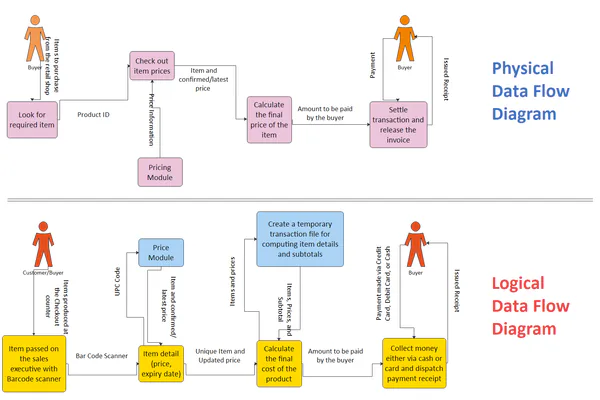
The most common beginner mistake is attempting to build a complete BI environment from day one. Start with the smallest useful version and expand based on what the team actually adopts in daily practice.
- Pick one business problem to solve first. Choose a single department or one recurring question as your starting point — not a company-wide data strategy that covers everything at once.
- Connect only the relevant data sources. Link the systems that feed data into your chosen problem. Starting with two or three sources avoids early overwhelm and keeps the initial setup manageable.
- Build one focused dashboard. Aim for five to eight meaningful metrics. Resist the temptation to include everything you could track — add only what your team will actually review on a regular basis.
- Test with real users before a broad rollout. Have the people who will use the dashboard review it before it goes live. Their feedback surfaces misunderstandings and gaps before they become embedded habits that are hard to correct later.
- Schedule a recurring review session. Create a weekly or biweekly meeting where the team reviews the dashboard together. This builds the habit of data-informed discussion before expanding the BI scope further.
- Expand gradually. Once the first dashboard is stable and actively used, apply the same disciplined process to a second business problem. Each phase builds on the previous without overwhelming users or the technical setup.
Mistakes to Avoid When Getting Started
Learning from the most common beginner mistakes can save months of rework and prevent the tool from being quietly abandoned after a promising start.
Tracking too many metrics at once: A dashboard crowded with forty KPIs is not more useful than one with eight well-chosen ones. More data on screen does not equal more clarity. Focus ruthlessly on what directly influences the decisions your team makes most often.
Buying an oversized platform: Enterprise BI platforms are engineered for large organizations with dedicated data engineering teams. A small or mid-sized business often cannot use — let alone justify the cost of — software designed for hundreds of concurrent users and petabytes of data. Match the tool to your current scale, not your aspirational future state.
Skipping data cleanup: Connecting a BI tool to messy source data amplifies the mess across every report you build. Audit your data for duplicates, missing values, and naming inconsistencies before building dashboards. Fixing the source data after dashboards are live is far more disruptive than doing it beforehand.
Ignoring user adoption: The most thoughtfully designed dashboard is worthless if nobody checks it. Plan short training sessions, explain clearly why the tool is being introduced, and make dashboards accessible from the tools teams already use daily — whether that is email, a messaging platform, or a shared internal page.
Expecting instant ROI: Business intelligence software delivers compounding value as teams build better habits around data over time, not immediate results within the first two weeks. Set a 90-day evaluation window and measure whether key decisions are becoming faster, more consistent, or more clearly grounded in observable evidence before drawing conclusions about the investment.
Business intelligence software is not reserved for large corporations or specialized data science teams. When approached with a clear problem to solve, a realistic data foundation, and a disciplined rollout plan, it is accessible to virtually any organization willing to invest the initial setup effort. The platforms available today span from free entry-level tools to powerful enterprise systems, which means there is a practical starting point regardless of budget or team size. The most important first step is choosing one specific question to answer, connecting the right data to answer it, and building the smallest dashboard that makes that answer visible every single day.
