
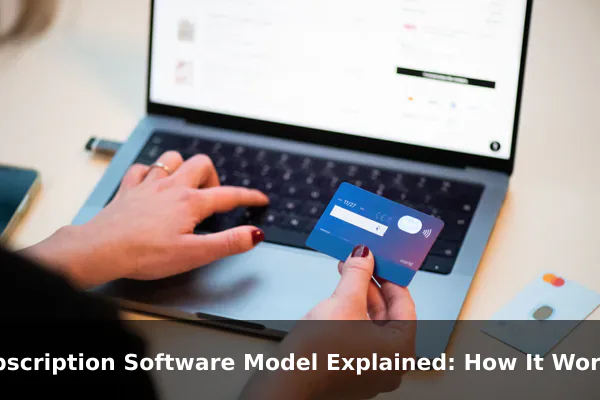
The subscription software model is a pricing and delivery approach where users pay on a recurring basis — monthly or annually — to access software, rather than buying it outright with a single payment. Over the past decade, this model has transformed how software is sold, updated, and used across virtually every industry.
Not long ago, buying software meant purchasing a physical box or a permanent digital license. That single payment gave you a specific version of the software — forever. Today, most major software products from productivity suites to creative tools to business platforms have moved to subscriptions. Understanding why this shift happened, and what it means for both businesses and everyday users, helps you make smarter decisions about the tools you pay for.
What the Subscription Software Model Means
At its core, the subscription software model means you pay a regular fee to keep using a product. Stop paying, and you lose access. This is a fundamental departure from the traditional buy-once, own-forever approach of perpetual licenses.
A few key terms come up regularly in this context:
- Monthly plan: Billed every 30 days; typically costs more per year but offers flexibility to cancel anytime.
- Annual plan: Billed once per year, usually at a discounted rate compared to paying month by month.
- License renewal: When your subscription period ends, it either auto-renews or you must manually renew to continue access.
- Seat-based pricing: Many business tools charge per user or seat, scaling cost with team size.
- Plan tiers: Most services offer multiple tiers such as Basic, Pro, and Enterprise with different feature sets at different price points.
The subscription model is the foundation of what is commonly called Software as a Service, where the software lives in the cloud and is accessed through a browser or lightweight app rather than being installed locally on a device.
How the Model Works in Practice
The mechanics of a subscription software product follow a predictable pattern from sign-up to cancellation:
- Sign up: You create an account on the vendor’s platform, often with a free trial period to evaluate the product before paying.
- Choose a plan: Select the tier and billing frequency that fits your needs and budget.
- Enter payment details: A credit card or payment method is stored for automatic recurring billing.
- Get access: Your account is activated and you can use the software immediately after the transaction is confirmed.
- Automatic renewal: At the end of each billing period, your payment method is charged and access continues uninterrupted.
- Updates are included: As the vendor releases new features or security patches, they are delivered automatically with no manual upgrades required.
- Cancellation: You can cancel before the next billing date, and access typically continues until the end of the period you already paid for.
If a subscription lapses — whether due to a cancelled card, a missed payment, or deliberate cancellation — access to the software is suspended. Your data is usually retained for a grace period so you can resubscribe and resume where you left off, but the specific policy varies by vendor.
How It Differs From Traditional Software Buying

The clearest way to understand subscription software is to compare it directly with the older perpetual license model across several key dimensions.
Cost Structure
A perpetual license requires a larger upfront payment but no ongoing fees. A subscription spreads cost over time, which means lower immediate spending but potentially higher total cost over many years. A professional design application might cost $500 as a one-time license or $20 per month as a subscription — after three years, the subscription has cost more in pure dollar terms.
Ownership and Access
With a perpetual license, you own that version of the software indefinitely. With a subscription, you are renting access. If you stop paying, you can no longer use the product, even to open files you created with it.
Updates and Features
Traditional software releases major updates as separate paid purchases. Subscription models deliver continuous updates as part of the ongoing fee, meaning you always have the latest version without additional cost or any decision-making about upgrading.
Support and Security
Subscription models typically include active support, documentation updates, and security patches as part of the recurring fee. Perpetual licenses often have limited support windows, after which you must upgrade or pay separately for continued help.
Flexibility
Subscriptions are easier to scale up or down. Adding users, switching tiers, or cancelling entirely is usually a few clicks. A perpetual license is a committed investment that is harder to adjust once made.
Why Software Companies Use Subscriptions
The shift to subscription pricing was not primarily driven by user demand — it was largely driven by strong business incentives on the vendor side.
Predictable Recurring Revenue
Revenue from perpetual licenses spikes around major launch dates and declines between releases. Subscriptions create a steady, predictable cash flow that helps companies plan staffing, infrastructure, and product development with far greater confidence over time.
Faster Product Iteration
With subscriptions, companies can push updates continuously rather than saving improvements for a major paid release. This lets them respond to user feedback and ship changes on a rolling schedule, which increases product quality and customer satisfaction.
Customer Retention Focus
A subscriber is an ongoing relationship, not a single transaction. Companies invest in onboarding, customer success, and engagement programs to reduce churn — the rate at which subscribers cancel. This creates a business culture focused on delivering continuous value rather than just closing a one-time sale.
Reduced Software Piracy
When software relies on a cloud-authenticated subscription for access, unauthorized use becomes far harder to achieve. This protects the company’s revenue stream in a way that traditional license keys could not reliably do.
Why Many Customers Accept the Model
Despite the ongoing cost, many users and businesses find subscription software genuinely preferable, particularly in professional and collaborative environments.
- Lower upfront cost: For freelancers, small businesses, or individuals testing a new tool, a monthly subscription is far more accessible than a $500 or $1,000 one-time purchase.
- Always up to date: The software updates automatically, including security patches that protect your data without requiring any manual action.
- Cloud access: Most subscription software stores data in the cloud, making it accessible from any device anywhere — critical for remote teams and mobile workers.
- Real-time collaboration: Cloud-based subscriptions typically include collaboration features that were difficult or impossible to deliver with locally installed software.
- Tiered pricing: Users pay only for the features they actually need, and can upgrade as requirements grow rather than paying for a feature-complete version upfront.
- Easy entry and exit: The low commitment required to start is matched by the ease of stopping — no sunk cost if the product does not fit your needs.
Common Drawbacks and Criticism
The subscription model is not without legitimate criticism. Many users — particularly individuals and small teams — raise consistent concerns about this approach.
Cumulative Cost Over Time
Paying $15 per month sounds modest, but across multiple tools — a design app, a productivity suite, a project management platform, and a cloud storage service — monthly charges add up quickly. Long-term users often spend significantly more than they would have with a single perpetual license purchase.
Subscription Fatigue
The proliferation of subscription-based products across software, entertainment, and everyday services has created widespread resistance to adding more recurring charges to an already crowded billing statement. Consumers increasingly scrutinize each subscription before committing.
Vendor Dependency and Price Increases
Once workflows and data are deeply tied to a subscription product, switching becomes difficult and costly. Vendors are aware of this lock-in, and some have raised prices significantly after users became dependent on their platform. There is also the genuine risk that a vendor shuts down entirely, removing access to both the software and any data stored within it.
Reduced Sense of Ownership
Many users — especially those who prefer stable, consistent tools — feel that subscription software removes a sense of control. This concern is most relevant for professionals who depend on specific software versions remaining unchanged over long periods.
Common Types of Subscription Software
Subscription pricing now covers virtually every software category. Some of the most widely used examples include:
- Productivity suites: Microsoft 365 and Google Workspace offer email, documents, spreadsheets, and collaboration tools on monthly or annual plans.
- Creative tools: Adobe Creative Cloud delivers Photoshop, Illustrator, Premiere Pro, and the full Adobe suite under a single subscription.
- CRM platforms: Salesforce and HubSpot charge per seat per month for customer relationship and sales management features.
- Accounting software: QuickBooks Online and Xero operate entirely on subscriptions, replacing older desktop versions sold as perpetual licenses.
- Project management tools: Asana, Monday.com, and Jira charge per user per month for teams to plan and track work together.
- Security software: Most antivirus and endpoint protection products now renew annually rather than being sold as one-time purchases.
When a Subscription Model Makes Sense
Not every piece of software justifies ongoing payments. Before committing, it is worth evaluating a few key factors specific to your situation.
Frequency of Use
If you use a tool daily as part of your professional workflow, the subscription cost is easily justified. If you need it once or twice a year for a specific project, a subscription may be wasteful — look for free trials or one-time alternatives first.
Collaboration and Remote Access
If your work involves collaborating with others or accessing files across multiple devices, cloud-based subscription software offers genuine advantages that a standalone perpetual license cannot realistically match.
Long-Term Cost Comparison
Run a simple calculation: multiply the monthly cost by 12, then multiply by the number of years you expect to use the software. Compare that total to the perpetual license cost if one is available. For multi-year use on stable workflows, perpetual licenses sometimes win on price — but only if regular updates and active support are not important to your use case.
Vendor Reliability
Choose subscription software from vendors with a strong track record and a large, stable user base. The risk of a small startup shutting down and stranding you without access is real. Larger, established platforms carry meaningfully lower risk in this regard.
Key Takeaway
The subscription software model replaced the one-time purchase as the dominant approach because it gives software companies predictable revenue and ongoing customer relationships, while offering users lower entry costs, automatic updates, and cloud-based collaboration features. The trade-off is continuous payment, vendor dependency, and a reduced sense of ownership over the tools you rely on.
Before subscribing to any software product, consider how frequently you will use it, whether cloud access and real-time collaboration genuinely matter to your workflow, and what the long-term cost looks like against available alternatives. A clear understanding of how the subscription model works puts you in a much stronger position to decide whether any given tool is worth the recurring investment.
