
Managing a project without the right tools often means scattered spreadsheets, missed deadlines, and team members unsure of their own priorities. Whether you are coordinating a small startup team or a cross-functional department at a large organization, keeping everyone aligned on what needs to happen next is harder than it looks.
Project management software solves this by consolidating tasks, timelines, people, and progress into a single shared system. Instead of chasing updates through email threads and chat messages, teams work from one source of truth. This article explains what the software actually does, which features matter most in daily use, and how those features translate into real, measurable results.
What Project Management Software Helps Teams Control
Project management software gives teams a structured way to plan and execute work. At its core, the platform centralizes everything that would otherwise be scattered across separate tools:
- Task lists and individual assignments
- Project timelines and due dates
- Team communication and file sharing
- Progress tracking and status updates
- Reports and workload visibility
The core problem this software addresses is fragmentation. When tasks live in one place, conversations in another, and deadlines in a spreadsheet, nothing stays synchronized. A dedicated platform replaces that fragmentation with a connected workspace where managers can see what is happening without holding daily check-in meetings, and team members can find what they need without asking.
Core Features That Matter Most
Not all project management tools are built the same, but the most useful ones share a common set of features that make daily work easier and more predictable.
Task Assignment and Deadlines
Every tool starts here. Tasks should be assignable to specific people with clear due dates, priority levels, and descriptions. Without this foundation, accountability is impossible and progress becomes invisible to everyone involved.
Multiple Project Views
Good software offers more than one way to look at work. Common views include:
- List view – a simple task list sorted by status or priority
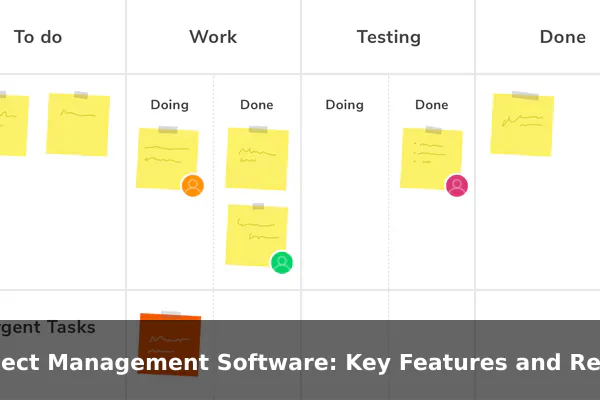
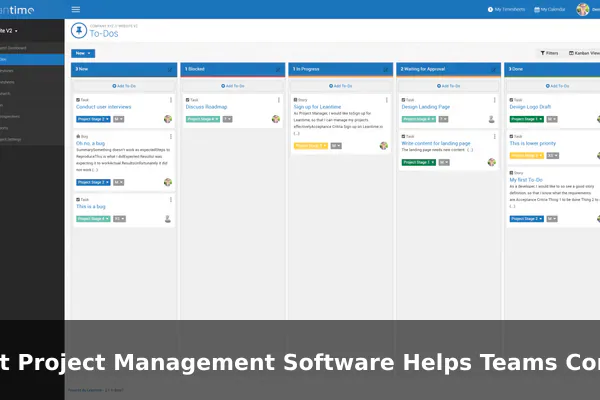
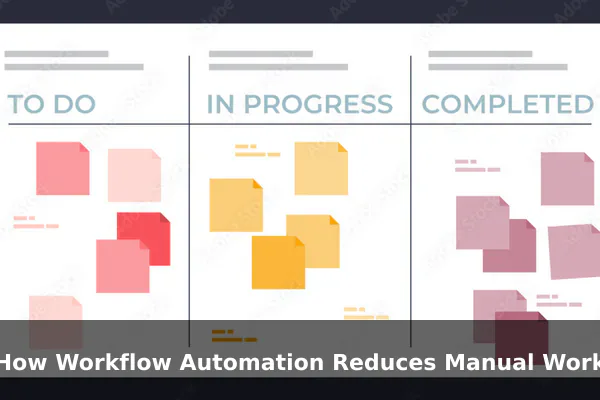
- Board view (Kanban) – columns representing workflow stages such as To Do, In Progress, and Done
- Gantt chart – a timeline that shows task dependencies and overlapping deadlines
- Calendar view – tasks mapped to dates for time-sensitive planning
Each view serves a different purpose. Developers often prefer boards, while managers rely on Gantt charts for scheduling and deadline management across the full project lifecycle.
Collaboration and File Sharing
Teams need to communicate within the context of their work. Most tools allow commenting directly on tasks, tagging teammates, attaching files, and linking related items. Keeping conversation attached to the task eliminates the need to search old email chains for context later.
Reporting and Progress Tracking
Managers need visibility into how work is progressing across the team. Built-in reporting tools typically show project completion rates, overdue tasks, workload distribution, and time spent. Even basic reports reduce the need for repetitive status update meetings and free up time for actual decision-making.
How Workflow Automation Reduces Manual Work
One of the most underused capabilities in project management software is automation. Once a workflow is predictable and repeatable, automation handles the routine steps so the team can focus on meaningful work instead of administrative upkeep.
Common automation examples include:
- Status updates – automatically move a task to the review stage when a subtask is marked complete
- Recurring tasks – weekly check-ins or monthly reports set up once and repeated automatically on schedule
- Approval workflows – route a deliverable to the right reviewer without manual handoff between team members
- Deadline reminders – notify the assignee and manager several days before a task is due
Automation reduces human error in process steps and creates consistency across projects. Teams that implement even basic automations typically spend less time on administrative overhead and more time on the work that actually moves projects forward.
Real Benefits for Teams and Managers
The features are only valuable if they produce real outcomes. Here is what teams typically experience once a project management tool is in consistent use across the organization.
Better Visibility for Everyone
Managers can see the status of every task in real time without asking. Team members know exactly what they are responsible for and what comes next. This shared visibility reduces confusion, eliminates duplicated effort, and makes priorities clear across the entire team without requiring constant meetings.
Improved Accountability
When tasks are assigned with names and deadlines, responsibility becomes explicit. There is no ambiguity about who owns what. This accountability naturally improves follow-through and reduces the chance that important work falls through the cracks during busy periods.
Fewer Bottlenecks
Task dependencies and workload views reveal when a single person is overloaded or when a project phase is blocked. Managers can reallocate work before delays compound, rather than discovering the problem at the deadline when recovery is difficult.
More Reliable Delivery
With clear plans, visible progress, and proactive alerts, projects are more likely to finish on time and within scope. Teams using project management software consistently report fewer surprise delays and more accurate delivery estimates when speaking to stakeholders or clients.
Business Value Beyond Task Tracking
The benefits extend past individual project delivery. At an organizational level, project management software contributes to broader operational outcomes:
- Resource planning – understanding team capacity before committing to new projects or client engagements
- Client transparency – sharing project portals so clients can see progress without requiring manual update calls from your team
- Institutional knowledge – archived projects become searchable references that inform future similar work
- Audit trails – logged changes and decision histories that support compliance reviews and internal accountability
- Budget tracking – some tools include time logging and cost tracking directly inside the project workspace
These broader capabilities justify the investment well beyond simple productivity gains and position the software as a core part of operational infrastructure rather than just a digital to-do list.
Key Features to Compare Before Choosing a Tool
When evaluating project management software, the right choice depends on team size, work type, and technical requirements. Use this checklist to guide your comparison:
- Ease of use – can your team start using it without weeks of formal training?
- Integrations – does it connect with tools your team already uses, such as communication platforms, file storage, or development environments?
- Mobile access – is there a usable mobile app for remote or field-based workers who need updates on the go?
- Reporting depth – does the reporting meet the expectations of managers and external stakeholders?
- Scalability – will it grow with your team size and project complexity over the next two to three years?
- Permissions and security – can you control who sees what, and does it meet your data compliance requirements?
- Pricing model – per user, flat rate, or usage-based, and how does cost scale as your team grows?
Avoid choosing based on feature count alone. A simpler tool that your entire team uses consistently will outperform a complex platform that most people abandon after the first week of onboarding.
When Project Management Software Delivers the Best Results
The software works best when the conditions support it. Teams see the strongest results when several factors come together at once:
- Processes are defined before setup – configuring the tool around an existing workflow is far more effective than hoping the software creates structure on its own
- The whole team adopts it – partial adoption breaks the single-source-of-truth model; if some work happens outside the tool, shared visibility disappears for everyone
- Setup starts simple – adding complexity gradually outperforms building an elaborate system that no one has the bandwidth to maintain consistently
- Usage is daily and consistent – task updates, comments, and status changes need to happen inside the platform, not around it through side channels
Project management software is a system that amplifies how a team already works. Teams that treat it as a shared operating environment rather than a reporting obligation get far more value from the investment over time.
Conclusion
Project management software works best when it matches how your team actually operates. The right platform brings together task management, communication, automation, and reporting in a way that reduces friction rather than adding it to your daily process.
Start by identifying where your current workflow breaks down — missed deadlines, unclear ownership, or poor visibility — and choose features that address those specific problems first. The goal is not the most feature-rich tool on the market. It is the one your team will rely on consistently every day to get real work done and deliver projects with confidence.
