
If you are new to cloud computing, the terms SaaS, PaaS, and IaaS can feel more confusing than helpful. They often appear in software discussions, IT planning, startup advice, and product documentation, yet many beginner guides explain them in isolation instead of showing how they fit together. That is why people often understand the words but still struggle to answer a simple question: which one actually fits my needs?
This beginner-friendly comparison focuses on the practical difference between these three cloud service models: how much of the technology stack the provider manages for you, and how much you manage yourself. Once you understand that idea, the rest becomes easier. SaaS gives you ready-to-use software, PaaS gives you a managed environment for building software, and IaaS gives you raw computing resources with the most control.
In other words, this is not just a list of definitions. It is a decision guide. By the end, you will understand what SaaS, PaaS, and IaaS mean in plain English, how they compare in flexibility and responsibility, and how to choose the right option whether you are a casual user, a small business owner, a student, or a beginner developer.
Why These Cloud Models Matter
Cloud computing is not only about storing files online or running apps through a browser. It is also about how technology is delivered. SaaS, PaaS, and IaaS are three major service models that describe different ways a provider can offer software, platforms, and infrastructure over the internet.
These models matter because they shape what you can do, what skills you need, what you are responsible for, and how fast you can get started. If you choose the wrong model, you may end up paying for flexibility you do not need or giving up control you actually require.
Beginners usually encounter these terms in situations like these:
- Comparing software tools for a business
- Learning the basics of cloud computing
- Building a website or web app
- Launching a startup product
- Moving systems away from on-site servers
- Studying for IT, software, or cloud certification topics
The easiest way to think about the three models is as a spectrum of control versus convenience. At one end, SaaS is highly convenient because the provider manages almost everything. At the other end, IaaS gives you the most control, but that also means more setup, maintenance, and technical responsibility. PaaS sits in the middle by reducing infrastructure work while still letting developers build custom applications.
That is why these terms appear so often in technology and software conversations. They are not just labels. They help people decide who does the work, who maintains the environment, and how much customization is possible.
What SaaS Means in Everyday Use
Software as a Service, or SaaS, is the cloud model most people use without even thinking about it. In SaaS, the provider delivers a finished application over the internet. You do not install or manage the underlying system in the traditional sense. You simply sign in and use the software.
A simple definition of SaaS
SaaS is ready-made software hosted and maintained by a third-party provider. The provider handles the servers, updates, security patches, availability, and much of the technical maintenance. The user focuses on using the application.
Everyday examples of SaaS
- Email platforms like Gmail or Outlook on the web
- Collaboration tools like Slack or Microsoft Teams
- Design tools like Canva
- Customer management platforms like Salesforce
- Accounting tools like QuickBooks Online
- Project management tools like Trello or Asana
What makes SaaS beginner-friendly is that it removes most setup work. You do not need to configure servers, install database systems, or manage operating system updates. In many cases, all you need is a browser and an account.
Main benefits of SaaS
- Fast to start: You can usually begin in minutes.
- Low maintenance: The provider handles updates and infrastructure.
- Accessible anywhere: Most SaaS tools work across devices and locations.
- Subscription pricing: Costs are often predictable month to month.
- Easy collaboration: Many SaaS products are built for teams.
Tradeoffs of SaaS
- Less control: You cannot deeply customize the underlying environment.
- Feature limits: You only get the features the vendor provides.
- Vendor dependence: Pricing, updates, and product direction are controlled by the provider.
- Data concerns: You still need to evaluate privacy, compliance, and access controls.
SaaS is usually the best choice when your goal is simple: use software, not build or manage it. If you want a team to communicate, track tasks, send email campaigns, or manage invoices quickly, SaaS is often the most practical answer.
What PaaS Means for App Builders
Platform as a Service, or PaaS, is designed for people who want to build, test, deploy, and manage applications without handling the full infrastructure layer themselves. Instead of receiving finished software like SaaS, you get a managed development and deployment environment.
A simple definition of PaaS
PaaS provides developers with the tools and platform components needed to create applications, while the provider manages much of the underlying infrastructure. That often includes servers, storage, networking, operating systems, runtime environments, and development frameworks.
Common examples of PaaS
- Heroku
- Google App Engine
- Microsoft Azure App Service
- AWS Elastic Beanstalk
- Render and similar managed deployment platforms
PaaS is useful when you want to build custom software but do not want to spend time provisioning virtual machines, applying system patches, or managing every infrastructure detail manually. It helps developers move faster by giving them an environment that is already prepared for application development.
Why developers choose PaaS
- Faster development: Teams can focus on writing code instead of maintaining servers.
- Simpler deployment: Many PaaS tools support automated builds and releases.
- Managed scaling: The platform may handle traffic growth more easily than a manually configured stack.
- Built-in tools: Logging, monitoring, databases, and environment configuration are often easier to connect.
Where PaaS can feel limiting
- Less infrastructure control: You may not be able to tune the environment exactly as you want.
- Platform rules: The provider may restrict runtimes, system access, or custom dependencies.
- Potential lock-in: Moving to another platform can take work if your app depends on platform-specific features.
PaaS is often the right fit for startups, internal business tools, prototypes, and web apps that need custom logic but do not need deep infrastructure engineering. It is a middle path: more freedom than SaaS, less operational burden than IaaS.
What IaaS Means for Maximum Control
Infrastructure as a Service, or IaaS, gives users access to fundamental computing resources such as virtual servers, storage, and networking. Instead of using finished software or a managed app platform, you rent the building blocks of IT infrastructure.
A simple definition of IaaS
IaaS delivers virtualized infrastructure over the internet. The cloud provider manages the physical data centers and hardware, but you are generally responsible for configuring operating systems, installing software, securing workloads, and managing much of the environment above the hardware layer.
Typical IaaS examples
- Amazon EC2
- Google Compute Engine
- Microsoft Azure Virtual Machines
- DigitalOcean Droplets
- Linode virtual servers
IaaS appeals to teams that want flexibility. If you need to choose the operating system, control the runtime, install custom software stacks, manage networking rules, or support unusual technical requirements, IaaS gives you room to do that.
Main benefits of IaaS
- High control: You decide how to configure the environment.
- Strong flexibility: You can run a wide range of workloads and architectures.
- Elastic capacity: Resources can often scale up or down faster than on-premises hardware.
- Useful for migration: Existing server-based systems can often move to IaaS more easily than to PaaS.
Main tradeoffs of IaaS
- More management work: You handle more setup, updates, monitoring, and maintenance.
- Higher technical skill needed: Server administration and cloud architecture matter more.
- Security responsibility: Misconfiguration can create risk if access, patches, or network settings are handled poorly.
- Cost complexity: Spending can grow quickly if resources are not monitored carefully.
IaaS is best when your priority is not simplicity, but control and customization. It is common for enterprise workloads, custom hosting setups, development labs, legacy application migration, and environments where teams need detailed infrastructure access.
SaaS vs PaaS vs IaaS at a Glance
One of the easiest ways to understand SaaS vs PaaS vs IaaS is to compare them side by side. Each model solves a different problem, so the best option depends on whether you need finished software, a development platform, or raw infrastructure.
Quick comparison table
| Model | What You Get | Who It Suits | Control Level | Technical Skill Needed |
|---|---|---|---|---|
| SaaS | Ready-to-use software | End users and business teams | Low | Low |
| PaaS | Managed app-building platform | Developers and product teams | Medium | Medium |
| IaaS | Virtual servers and infrastructure | IT teams, engineers, advanced users | High | High |
Key differences in plain English
- SaaS: You use the software.
- PaaS: You build software on top of a managed platform.
- IaaS: You build and manage much more of the environment yourself.
How they differ in cost patterns
SaaS usually has the most predictable pricing because you often pay per user, per feature tier, or per month. PaaS costs can vary depending on app usage, compute time, storage, and services consumed. IaaS pricing can be the most flexible but also the most complex because you may pay for virtual machines, bandwidth, storage, backups, and more.
How they differ in speed
If you want to get started fast, SaaS is usually the quickest. PaaS is faster than building infrastructure manually because much of the environment is already prepared. IaaS can be fast compared to buying physical servers, but it still requires more setup and technical planning than the other two models.
How they differ in customization
SaaS offers the least customization because the software is already defined. PaaS lets you customize the application you build, but not always every infrastructure detail. IaaS offers the broadest freedom because you control far more of the stack.
Who Manages What in Each Model
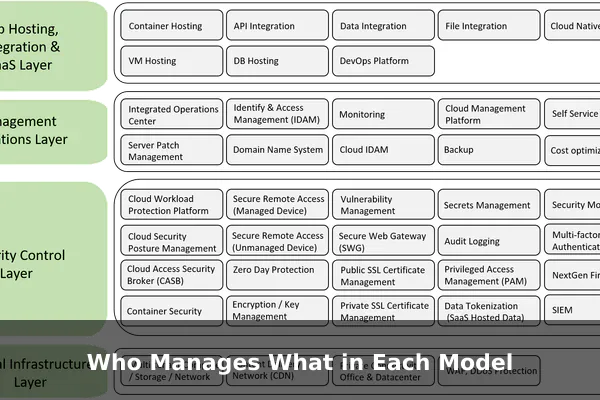
The most important beginner concept in this entire comparison is shared responsibility. SaaS, PaaS, and IaaS are not just different products. They divide management responsibility in different ways between you and the provider.
The technology stack, simplified
Think of a cloud environment as several layers:
- Physical hardware
- Networking
- Storage
- Virtualization
- Operating system
- Runtime and middleware
- Application
- Data and user access
Now the key question becomes: who manages each layer?
In SaaS
The provider manages almost everything, including the application itself. You mainly manage your usage, configuration options, data input, and access permissions inside the software.
- Provider manages: infrastructure, operating systems, runtime, updates, application delivery
- You manage: user accounts, settings, workflow usage, data governance decisions
In PaaS
The provider manages the infrastructure, operating system, and core platform environment. You manage the code you build, the application logic, and how your app uses data.
- Provider manages: servers, networking, storage, operating systems, runtime tools, much of scaling support
- You manage: application code, app design, data model, user experience, certain security controls
In IaaS
The provider manages the physical infrastructure and virtualization layer. You manage much more above that, including the operating system and the software you install.
- Provider manages: physical hardware, data center facilities, virtualization
- You manage: operating systems, networking setup, middleware, runtime, applications, data, patches, workload security
Why this matters for security and maintenance
A common beginner mistake is assuming that cloud services automatically remove all responsibility. They do not. Cloud providers reduce some burdens, but your responsibilities change depending on the model.
For example, a SaaS vendor may secure the platform itself, but your team still needs strong passwords, access control, and sensible data handling. In PaaS, the provider may maintain the runtime, but you still need secure code and proper app configuration. In IaaS, poor operating system patching or open ports can become your problem, not the provider’s.
This is why understanding the responsibility split is often more useful than memorizing definitions. It tells you what work disappears, what work remains, and where mistakes are likely to happen.
How to Choose the Right Option
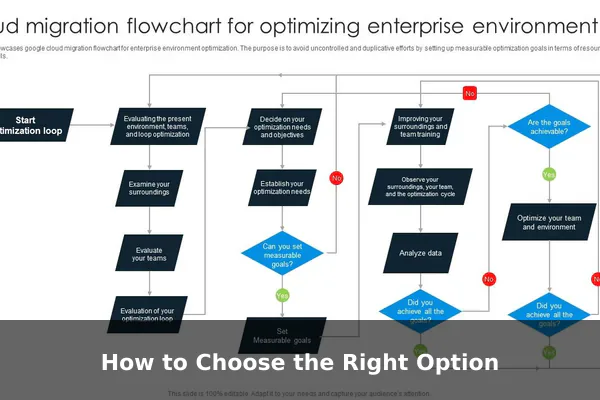
Choosing between SaaS, PaaS, and IaaS is easier when you start with your goal instead of the technology label. Ask yourself: Am I trying to use software, build software, or control infrastructure?
Choose SaaS if your goal is to use software quickly
SaaS is the best fit when you want a tool that works with minimal setup. It is ideal for businesses and individuals who care more about outcomes than technical customization.
- You need email, collaboration, finance, CRM, or design tools
- You want low maintenance
- You prefer predictable subscriptions
- You do not need to manage servers or development environments
Choose PaaS if your goal is to build apps faster
PaaS makes sense when you need custom applications but want to avoid the full burden of infrastructure management.
- You are building a web app or internal platform
- You want developers focused on code, not server administration
- You need faster deployment and simpler scaling
- You can accept some platform limitations in exchange for convenience
Choose IaaS if your goal is flexibility and control
IaaS is the stronger choice when your technical requirements are more specific or your team wants direct control over the environment.
- You need custom server configurations
- You are migrating existing infrastructure-heavy workloads
- You require unusual software stacks or network setups
- You have the technical skill to manage systems responsibly
A practical decision shortcut
If you are still unsure, use this rule of thumb:
- If you want to use an application, choose SaaS.
- If you want to build an application, choose PaaS.
- If you want to control the environment the application runs on, choose IaaS.
Questions to ask before deciding
- How much technical control do I really need?
- Do I have the skills to manage more of the stack?
- Is speed more important than customization?
- Will this solution need to scale quickly?
- Am I optimizing for simplicity, developer productivity, or infrastructure flexibility?
For beginners, the best decision is often the simplest one that still meets the real need. More control is not automatically better. Extra control also means extra responsibility.
Common Misunderstandings Beginners Have
Because these cloud service models are often explained in marketing language, beginners can form the wrong expectations. Clearing up a few common misunderstandings makes the comparison much more useful.
Misunderstanding 1: SaaS, PaaS, and IaaS are competing versions of the same thing
They are related, but they are not direct replacements in every case. They serve different roles. SaaS is for software consumption, PaaS is for app development, and IaaS is for infrastructure control.
Misunderstanding 2: IaaS is always better because it offers more control
More control sounds attractive, but it is only valuable if you actually need it and can manage it well. Many teams waste time and money managing infrastructure that a SaaS or PaaS solution could have removed.
Misunderstanding 3: SaaS means no technical responsibility at all
SaaS reduces technical administration, but users still need to manage account access, data policies, integrations, and safe usage. Security does not disappear just because the software is hosted.
Misunderstanding 4: PaaS is only for large companies
PaaS is often very useful for small teams, startups, solo developers, and internal business projects. In fact, its biggest advantage is often speed, which matters a lot when resources are limited.
Misunderstanding 5: One model is always cheaper than the others
Cost depends on use case, scale, labor, and operational complexity. SaaS may seem expensive at scale, but it can save time and staffing costs. IaaS may look flexible, but unmanaged resources and maintenance time can raise total cost. PaaS may reduce engineering overhead, which can be more valuable than saving a little on raw infrastructure.
Misunderstanding 6: Cloud means everything is fully managed
Cloud computing does not mean zero management. It means management is distributed differently. The main question is not whether work exists. The real question is which work is handled by the provider and which work stays with you.
Real-World Scenarios to Make the Difference Clear
Abstract definitions are useful, but scenarios make the service models easier to remember. Here are a few practical examples.
Scenario 1: A small business needs team collaboration software
The company wants email, calendars, video meetings, shared documents, and task tracking. It does not want to build these systems from scratch.
Best fit: SaaS. The business should use ready-made cloud software because the goal is productivity, not software development.
Scenario 2: A startup is building a new web application
The team needs to develop custom features, push updates regularly, and launch quickly without hiring a full infrastructure team.
Best fit: PaaS. The team can focus on coding and releasing the product while the platform handles much of the hosting complexity.
Scenario 3: An engineering team needs a custom server environment
The application depends on specific operating system settings, networking policies, and software components that are not easily supported by a managed platform.
Best fit: IaaS. The team needs direct control over the infrastructure to meet technical requirements.
Scenario 4: A company is moving an older internal system to the cloud
The software was originally built for traditional servers and may not be easy to redesign immediately.
Best fit: Often IaaS first, possibly PaaS later. IaaS can help with migration, while PaaS may become an option after modernization.
Scenario 5: A non-technical founder needs a CRM right now
The founder wants to manage leads, automate sales follow-up, and create reports without hiring developers.
Best fit: SaaS. A ready-made CRM platform solves the problem faster and more simply.
Key Takeaways Before You Decide
SaaS vs PaaS vs IaaS becomes much easier once you stop treating them as abstract cloud jargon and start viewing them as different levels of provider-managed service.
SaaS is the easiest to use because it delivers finished software. PaaS sits in the middle by giving developers a managed environment to build apps without handling every infrastructure task. IaaS offers the most control by providing virtual infrastructure, but it also requires the most technical management.
If you remember only one idea, remember this: the main difference is how much of the stack you manage yourself. The less you manage, the more convenience you gain. The more you manage, the more flexibility you gain.
- Choose SaaS when you want to use software quickly.
- Choose PaaS when you want to build software efficiently.
- Choose IaaS when you need infrastructure control and customization.
For most beginners, that simple framework is enough to make sense of cloud service models without getting lost in technical buzzwords. Once you understand the balance between convenience, responsibility, and control, you can evaluate tools and platforms with much more confidence.
That is the real value of understanding SaaS, PaaS, and IaaS. It is not just about learning definitions. It is about making better decisions in modern technology and software environments.
