

Every time you tap an app, send a message, or open a website, you are using software. Yet most people rarely stop to think about what software actually is or why it matters so much. Software is, in the simplest terms, a collection of instructions that tells a computer or device what to do. Without it, even the most powerful hardware would be nothing more than an expensive paperweight.
From the phone in your pocket to the payment terminal at a coffee shop, software is running constantly in the background. Understanding what software means, how its main types differ, and where real examples appear in daily life can help you make smarter decisions about the technology you use every day.
What Software Means in Simple Terms
Software is a set of programs, data, and instructions that tell a computer how to perform specific tasks. Unlike physical components you can touch, software exists as code — lines of text written in programming languages that machines can interpret and execute.
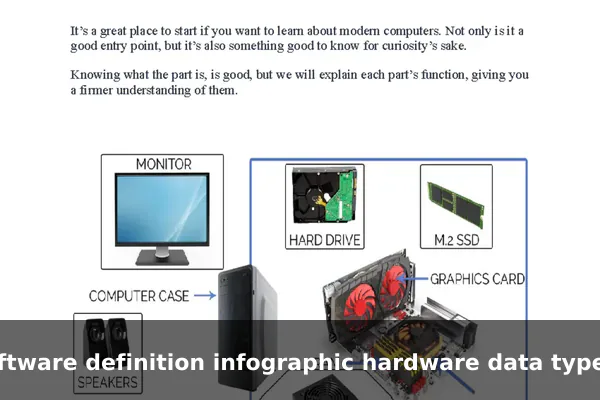
The word “software” was coined to contrast with hardware, the physical machinery. When you run a calculator app, stream a video, or use a navigation tool, you are interacting with software. It can be stored on a hard drive, downloaded from the internet, or run entirely in the cloud.
How Software Differs From Hardware and Data
Understanding software becomes easier when you compare it to its two closest concepts:
- Hardware refers to the physical components — the screen, processor, keyboard, and circuit boards inside a device.
- Software refers to the programs and instructions that run on that hardware.
- Data refers to the information that software processes — documents, photos, messages, and records.
Think of a smartphone as a book. The phone itself is the hardware (the physical pages and binding). The operating system is the software (the grammar and language that makes content readable). Your photos and contacts are the data (the actual content on those pages).
The Main Types of Software
Software is generally divided into three major categories, each serving a distinct purpose in the technology ecosystem. Knowing these categories makes it easier to understand why different programs behave the way they do.
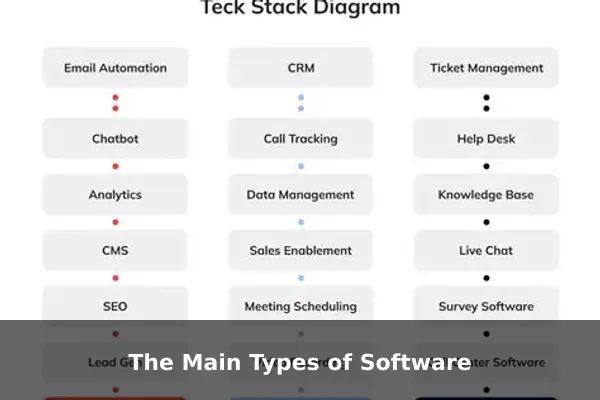
- System Software — manages hardware and provides a platform for other software to run.
- Application Software — programs that users interact with directly to complete specific tasks.
- Programming Software — tools that developers use to write, test, and build other software.
System Software: The Foundation Behind Every Device
System software works invisibly, making sure all hardware components communicate correctly and that other programs can run smoothly. Without it, no application would function.
Operating Systems
The most important type of system software is the operating system (OS). Examples include:
- Windows 11 — the dominant OS for desktop and laptop computers
- macOS — Apple’s OS for Mac computers
- Android — the most widely used mobile OS globally
- iOS — Apple’s mobile OS for iPhones and iPads
- Linux — an open-source OS popular in servers and developer environments
Device Drivers and Utility Tools
Device drivers allow the operating system to communicate with specific hardware components, like a printer or graphics card. Utility software includes tools such as antivirus programs, disk cleanup utilities, and backup tools that maintain device health and security over time.
Application Software: Tools People Use Directly
Application software is what most people picture when they hear the word “software.” These are programs designed to help users complete real, everyday tasks — whether at home, at school, or in the office.
Everyday Consumer Apps
- Browsers: Google Chrome, Mozilla Firefox, Safari
- Messaging: WhatsApp, Telegram, iMessage
- Media streaming: Spotify, Netflix, YouTube
- Navigation: Google Maps, Waze
- Photo editing: Snapseed, Adobe Lightroom
Business and Productivity Software
In workplaces, application software drives nearly every workflow:
- Microsoft Word and Google Docs for writing and documentation
- Excel and Google Sheets for data management and finance
- Zoom and Microsoft Teams for video meetings
- Slack for team communication and project coordination
- QuickBooks for accounting and invoicing
Programming Software: What Developers Use to Build Software
Before software reaches users, developers must build it using specialized tools called programming software. These include:
- Code editors and IDEs: Visual Studio Code, IntelliJ IDEA, Xcode — environments for writing and organizing code efficiently
- Compilers and interpreters: Programs that convert human-readable code into instructions a machine can execute
- Version control systems: Git and GitHub, which track changes in code and enable team collaboration without overwriting each other’s work
- Debugging tools: Software that identifies and fixes errors in code before a product is released to users
Without programming software, building the apps and operating systems that people rely on every day would be far slower, riskier, and more error-prone.
Real Examples of Software in Daily Life
Software appears in almost every part of modern life, often in ways that go completely unnoticed:
- Smartphones: Every app — from the camera to banking — is software running on a mobile operating system.
- Schools: Learning management platforms like Google Classroom and Moodle organize courses, assignments, and grades.
- Banking: Transaction processing, fraud detection, and mobile banking all run on complex, layered software systems.
- Transportation: GPS navigation, flight booking platforms, and even car engine management units are software-driven.
- Entertainment: Streaming services, video games, and smart TVs are all powered by multiple layers of software working together.
Why Software Matters for Individuals and Businesses
Software has fundamentally transformed how people work, communicate, and live. For individuals, it provides tools for creativity, learning, health tracking, and staying connected across distances. For businesses, it enables:
- Automation — replacing repetitive manual tasks with efficient digital workflows
- Communication — connecting global teams instantly through email, video, and messaging platforms
- Data analysis — turning raw business figures into actionable strategic insights
- Security — protecting sensitive personal and financial data from breaches and unauthorized access
- Customer experience — delivering faster, more personalized services through apps and web platforms
Common Questions About Software
Here are clear answers to questions beginners often ask when learning about software:
- Are apps software? Yes. Apps are a category of application software specifically designed for smartphones, tablets, and computers.
- Are websites software? Websites run on software — web servers, databases, and code — but a website itself is more accurately described as a digital service that you access through a browser.
- Can software work without hardware? No. Software must always run on some form of hardware. Even cloud-based software runs on physical servers located in data centers around the world.
- Is firmware software? Yes. Firmware is a specialized type of software embedded directly into hardware components, such as a computer’s BIOS chip or the internal software inside a router.
Software is one of the defining inventions of the modern era. Whether you are reading this on a phone, laptop, or tablet, you are experiencing the result of decades of development across all three major software categories — system, application, and programming. Understanding these distinctions gives you a clearer picture of how digital technology actually works and why it plays such a central role in everyday life. The more you know about software, the better equipped you are to choose the right tools, solve problems faster, and stay informed in a world that increasingly runs on code.
